
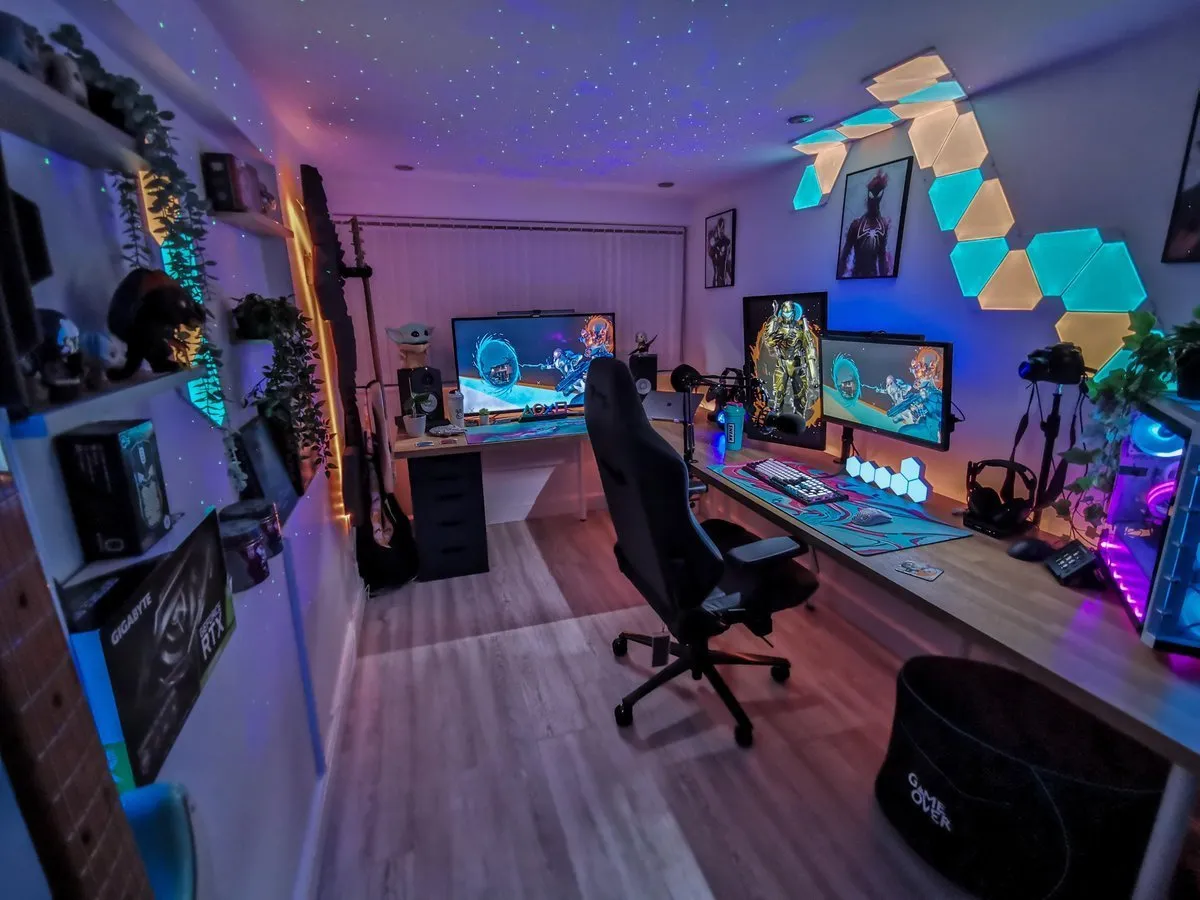
Good gaming room decor should do more than add RGB color. The best rooms balance atmosphere with comfort, organization, and a layout that makes the setup easier to use every day. A few well-placed lights, a clean display shelf, coordinated wall art, and hidden cables can make a modest bedroom or office feel intentional without turning it into an overcrowded showroom.
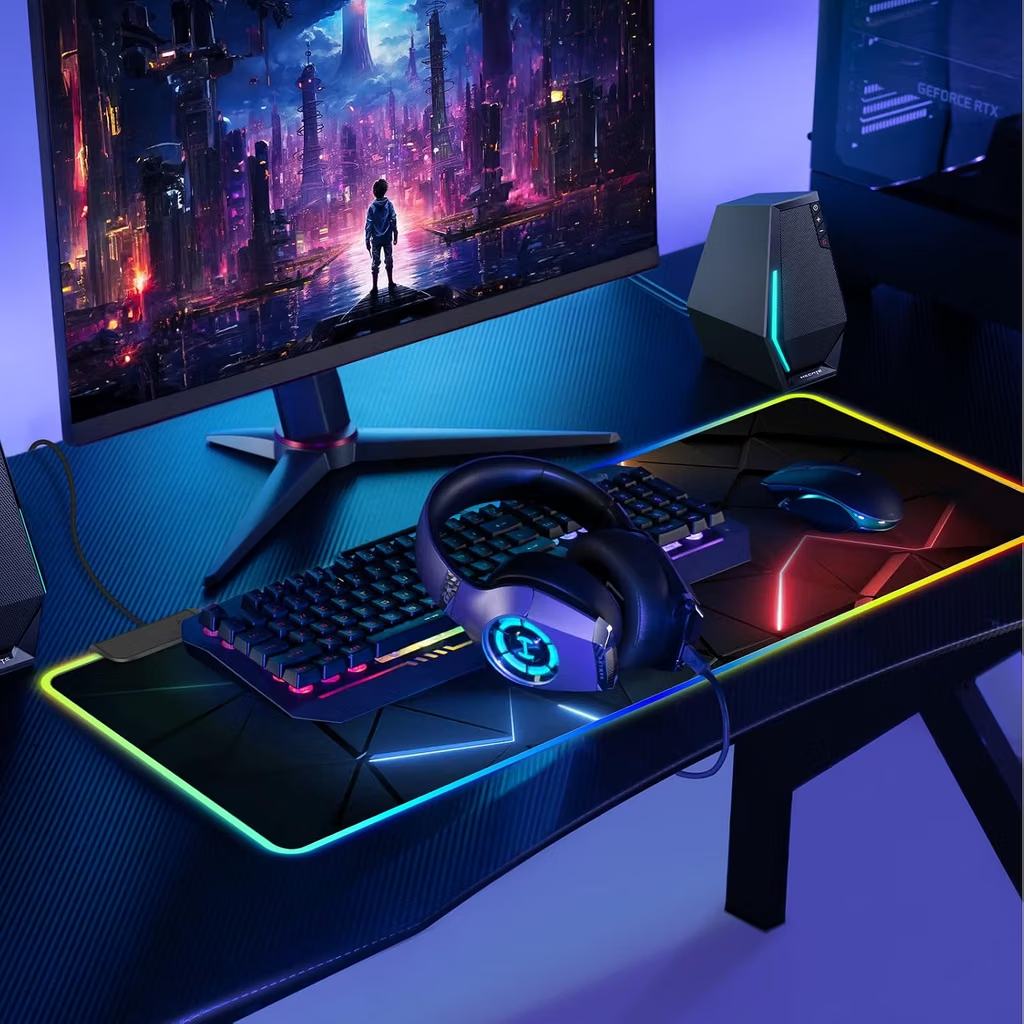

This guide covers practical gaming room decor ideas for PC desks, console spaces, small bedrooms, shared rooms, and dedicated game rooms. It also includes current Amazon product targets for wall lighting, LED strips, modular panels, signs, shelves, and desk organization. Treat the listed prices as examples rather than guarantees, because Amazon pricing changes frequently.
Quick Answer: What Gaming Room Decor Should You Buy First?
Start with three layers: ambient lighting, useful storage, and one personal focal point. A wall light or LED strip creates atmosphere, shelves keep controllers and collectibles organized, and a sign or framed print establishes the room’s theme. After those basics, improve cable management and add a desk mat, floor mat, or acoustic treatment if the room needs more comfort.
For an easy lighting upgrade, the Govee Glide Wall Lights are a flexible wall-focused option. For a low-cost perimeter glow, a 100-foot music-sync RGB strip kit can cover more space, although installation quality matters. Modular hexagonal panels create a more graphic focal wall, while a simple gamer sign or framed print adds personality without using much floor space.
Best Gaming Room Decor Picks
The following recommendations are selected by use case. Each link opens an Amazon.com listing or search page with the affiliate tracking ID attached. Check the exact color, size, mounting hardware, platform, seller, and return policy before purchase.
1. Govee Glide Wall Lights — Best Statement Lighting
Govee Glide Wall Lights are a strong choice when you want a visible lighting feature rather than a hidden strip. The current Amazon category listing describes a modular wall-light design, RGBIC color effects, smart-home compatibility, and a six-count configuration; the listing displayed an example price of $49.99 during research.
Mount the lights behind or beside the monitor rather than directly in the player’s line of sight. A vertical installation can frame one side of a desk, while a symmetrical arrangement works well above a console cabinet. Measure the wall and plan the power-cable route before committing to adhesive mounting.
Best for: A polished focal point behind a PC or console setup.
Strength: More architectural than a basic LED strip.
Trade-off: Requires thoughtful layout and wall space.
2. 100-Foot Music-Sync RGB Strip Kit — Best Budget Coverage
A long RGB strip is useful for outlining a desk, shelves, baseboards, or the back edge of a TV console. The current Amazon listing describes a 100-foot kit made from two 50-foot rolls with music sync, app control, Bluetooth, and a remote; an example price of $11.99 was visible during research.1
Use indirect placement to avoid seeing individual LED diodes. Install the strip behind furniture or inside a shallow channel, and avoid placing adhesive directly on dusty or freshly painted surfaces. A long kit is inexpensive, but the final look depends heavily on routing, corner transitions, and hiding the controller.
Best for: Budget makeovers and larger rooms.
Strength: Covers a lot of space for little money.
Trade-off: More installation work and a less premium appearance than modular wall lights.
3. Hexagon LED Wall Panels — Best Geometric Accent Wall
Hexagon panels create a graphic pattern that immediately reads as gaming-room decor. The current Amazon listing describes an eight-pack with RGB effects, music sync, app control, and remote operation; the listing showed an example price of $29.99 during research.
A small cluster works above a single monitor, while a larger arrangement can anchor an entire desk wall. Keep the pattern intentionally asymmetrical or mirror it around the monitor; random placement can look unfinished. Confirm how the panels connect, how they mount, and whether the power cable can reach the nearest outlet.
Best for: Neon, cyberpunk, esports, or futuristic themes.
Strength: Strong visual identity in a compact footprint.
Trade-off: The plastic finish and mounting system vary by brand.
4. Gamer Neon Sign — Best Small Wall Focal Point
A neon-style gamer sign is one of the easiest ways to fill a blank wall above a desk. Search results include signs with adjustable brightness, colorful LED effects, and wall or tabletop placement.2 Choose a design that supports the room’s theme instead of competing with every other light source.
Place the sign slightly above eye level and keep the surrounding wall relatively quiet. If the sign is the main focal point, use a neutral wall and one supporting color in the desk lighting. Confirm whether the sign is USB-powered, battery-powered, or supplied with a wall adapter.
Best for: Small rooms and quick visual upgrades.
Strength: Easy to understand and highly visible.
Trade-off: Novelty designs can date faster than abstract lighting or framed art.
5. Gaming Wall Art and Framed Prints — Best Non-RGB Decor
Wall art adds personality without producing glare, heat, or app notifications. Consider a coordinated three-piece set, a framed map, a minimalist controller print, or art inspired by a favorite genre. If you rent, look for lightweight frames and removable mounting solutions.
Use a limited palette. Black, white, and one accent color usually look more deliberate than a collection of unrelated posters. Keep art out of the monitor’s direct reflection path and leave enough empty wall around each piece to prevent visual clutter.
Best for: Minimalist, retro, anime, RPG, and adult gaming rooms.
Strength: Personal and visually calm.
Trade-off: Print and frame quality can vary, so inspect dimensions and reviews.
6. Game-Room Wooden Sign — Best Low-Cost Personal Detail
A small wooden sign can work on a shelf, desk, or wall without dominating the room. The current listing describes a compact wooden game-room decoration intended for a bedroom or game room.3 This kind of accent is especially effective when paired with a few collectibles rather than surrounded by more signs.
Use it to label a charging station, mark a snack area, or add a lighthearted detail to a shared game room. Measure the sign before ordering; small decor looks best when it is proportionate to the shelf or desk it occupies.
Best for: Budget decorating and shelf styling.
Strength: Adds warmth to an otherwise technical setup.
Trade-off: A small sign has limited impact on a large blank wall.
7. Floating Shelves — Best for Collectibles and Controllers
Floating shelves turn vertical wall space into useful display storage. Use one shelf for frequently used controllers and headphones, and another for figures, boxed games, or framed art. Keep consoles on ventilated furniture rather than squeezing them into a shallow decorative shelf.
Before drilling, locate studs or choose hardware rated for the wall type and expected load. Leave space around electronics for airflow, and avoid placing heavy objects above the monitor or seating area. A small plant, controller stand, and one framed print can create a balanced shelf composition.
Best for: Console rooms and collectible displays.
Strength: Combines decor with storage.
Trade-off: Installation and weight limits matter.
8. Pegboard Organizer — Best Flexible Desk-Wall Storage
A pegboard is useful when your accessories change often. Hooks can hold controllers, headsets, cables, and small game-room tools, while shelves can display figures or rechargeable batteries. It also provides a structured background behind a desk without requiring a full built-in cabinet.
Choose a size that leaves breathing room around the monitor. The board should support the items you intend to mount, and the mounting hardware should match the wall. Keep frequently used gear within easy reach and move decorative items higher so the wall remains functional.
Best for: Flexible storage in small rooms.
Strength: Easy to rearrange.
Trade-off: Too many visible accessories can make the wall feel busy.
9. Under-Desk Cable Management Tray — Best Invisible Upgrade
Cable management is part of gaming room decor because it determines whether the setup looks finished. An under-desk tray can hold a power strip and route monitor, PC, console, and charger cables off the floor. Pair it with reusable hook-and-loop ties and a short sleeve for the cable bundle descending from the desk.
Mount the tray where it will not collide with your knees. Label both ends of the most important cables before bundling them, and leave enough slack for moving the monitor or pulling the PC forward for maintenance.
Best for: Every PC or multi-device setup.
Strength: Improves appearance, cleaning, and access.
Trade-off: Requires planning before the cables are bundled.
10. Large Gaming Desk Mat — Best Color and Comfort Accent
A desk mat can unify the keyboard, mouse, monitor stand, and desk surface. Black or dark gray works for a subdued room, while a geometric or RGB-edged mat can reinforce a more dramatic theme. Look for a stitched edge, a surface suited to your mouse sensor, and a nonslip rubber base.
Choose a size that fits the desk without forcing the front edge against your wrists. A mat with a restrained pattern usually ages better than a highly specific logo or character print.
Best for: Desk-focused decor and smoother mouse movement.
Strength: High visual impact with no wall installation.
Trade-off: Fabric mats need occasional cleaning.
15 Gaming Room Decor Ideas That Look Intentional
1. Build a Three-Layer Lighting Plan
Use a soft room light for general visibility, bias lighting behind the monitor or TV, and one accent source such as a wall panel or neon sign. This layered approach is more comfortable and more flexible than relying on a single bright RGB strip. Govee’s room-planning guidance similarly recommends combining ambient lighting, display lighting, and decor accents.4
2. Choose One Dominant Color and One Supporting Color
A purple-and-blue room feels cohesive when the colors repeat in the wall light, desk mat, and small accessories. Avoid giving every product a different animated color cycle. Static or gently shifting colors usually make the room look more considered.
3. Create a Focal Wall Behind the Monitor
The wall directly behind the screen is the natural visual anchor. Use hex panels, a sign, framed prints, or shelves there, but do not use all four at full intensity. One dominant element plus two supporting details is usually enough.
4. Use Shelves to Display, Not Store Everything
Leave empty space on shelves. A controller, figure, framed print, and small plant have more visual impact when they are separated than when every inch is filled.
5. Hide the Power Strip
Mounting the power strip under the desk or inside a ventilated cabinet removes one of the most distracting sources of clutter. Keep the switch accessible and do not overload it.
6. Add a Rug or Floor Mat
A rug can soften a hard room, reduce echo, and visually define the gaming area. A chair mat is more practical for a rolling office chair, while a small area rug works better under a console seating zone.
7. Match Hardware Finishes
Black desk legs, black shelves, and dark monitor arms create a unified foundation. If your setup is white, repeat white in only a few intentional accents rather than mixing several off-white shades.
8. Use Acoustic Panels as Decor
Acoustic panels can reduce reflections and add texture, but thin decorative foam is not the same as full soundproofing. Use panels behind speakers or on the most reflective wall, and combine them with a rug and curtains when reducing echo is the goal. BenQ specifically lists acoustic panels and thick rugs as tools for controlling room sound.5
9. Make a Console Charging Station
Give every controller a home. A shelf, dock, or small cabinet tray keeps controllers off the floor and makes the room feel organized even when the console is not in use.
10. Add a Small Theme Without Covering the Room
A retro room can use one framed print and a warm lamp. A cyberpunk room can use purple-blue light and geometric panels. A fantasy room can use wood tones and a display shelf. The theme should guide the palette, not require every accessory to be branded.
11. Keep the Monitor Wall at Eye Level
Decor should frame the screen rather than force it too high. Place wall art and lighting around the monitor’s visual boundary, and keep the center of the display at a comfortable seated height.
12. Use Vertical Space in Small Rooms
Wall shelves, pegboards, monitor arms, and vertical light bars free the floor and desk. BenQ’s planning guidance recommends floating shelves and storage cabinets for keeping console accessories organized while using space efficiently.5
13. Separate Work and Play Visually
If the room is also an office, use a different lamp color, desk mat, or wall zone to mark the gaming area. This creates a stronger sense of place without requiring a second room.
14. Leave a Quiet Zone for Video Calls
A fully animated RGB background can distract during meetings or streams. Include one neutral wall, curtain, or framed-art area that can serve as a calmer backdrop.
15. Finish With Cable and Dust Control
A beautiful setup loses its appeal when cables, dust, and packaging accumulate. Add a small cable tray, clean the desk weekly, and keep airflow paths around the PC and console clear.
Decor Ideas by Room Type
| Room type | Best decor strategy | Avoid |
|---|---|---|
| Small bedroom | Wall-mounted storage, indirect lighting, compact art | Floor-standing clutter and oversized signs |
| PC gaming room | Monitor backlighting, desk mat, pegboard, cable tray | Lights aimed into the screen or eyes |
| Console lounge | TV bias light, shelves, comfortable seating, controller storage | Blocking ventilation around the console |
| Shared office | Removable art, controllable lighting, tidy cable routing | Permanent installations without permission |
| Dedicated game room | Theme wall, display shelves, rug, layered lighting | Using every wall for RGB effects |
| Streaming background | One controlled focal point and neutral fill light | Flickering lights or busy patterns |
How to Decorate a Gaming Room on a Budget
Start with the items that change the room most: a desk mat, indirect LED strip, cable-management kit, and one piece of wall art. These upgrades can make the setup look coordinated without replacing the desk, monitor, or chair.
Buy decor in stages. First establish the color palette, then add storage, then add personality. This prevents impulse purchases from creating a room where every light, sign, and poster competes for attention. For renters, favor USB-powered lights, lightweight frames, removable hooks, and furniture that can move with you.
Common Gaming Room Decor Mistakes
The most common mistake is using too much RGB. Bright light directly behind or beside the screen can create glare, while rapidly changing effects become tiring. Use indirect placement and lower brightness when playing in a dark room.
Another mistake is buying wall decor before measuring. Record the wall width, outlet location, desk height, monitor dimensions, and available shelf depth. For lighting, check the cable length and controller location before ordering.
Finally, do not confuse decoration with infrastructure. A sign does not replace cable management, and decorative acoustic foam does not fully soundproof a room. Make the setup comfortable and functional first, then style it.
Frequently Asked Questions
What is the best gaming room decor to buy first?
Start with indirect lighting, cable management, and one focal wall item. This combination produces a visible improvement while also making the setup easier to use and maintain.
How can I decorate a gaming room without RGB lights?
Use framed gaming art, floating shelves, wood or metal signs, a coordinated desk mat, plants, a rug, and warm or neutral lamps. A room can look highly intentional without animated lighting.
What colors are best for gaming room decor?
Choose a base color such as black, white, gray, or wood, then add one or two accent colors. Purple-blue, red-orange, and teal are common gaming palettes, but the best choice is the one that works with the room’s existing furniture.
How do I make a small gaming room look bigger?
Use wall-mounted storage, keep the floor open, choose light-colored walls or furniture, and hide cables. Indirect light behind the monitor can add depth without taking up space.
Are acoustic panels good gaming room decor?
They can add texture and reduce some reflections, especially when placed on hard, reflective walls. They are not a complete soundproofing solution, so use rugs, curtains, doors, and headphones when noise control matters.
Where should gaming room lights go?
Place them behind the monitor or TV, beneath shelves, behind the desk, or along a wall edge. Avoid positioning bright light directly in the screen’s reflection path or where it shines into your eyes.
Should a gaming room have shelves?
Shelves are useful for controllers, figures, games, headphones, and framed art. Install them securely, respect their weight limits, and keep electronics ventilated.
What is a good gaming-room theme for adults?
Minimalist monochrome, industrial, retro arcade, cyberpunk, and understated RPG themes can look mature when they use a controlled palette and a small number of high-quality focal pieces.
