
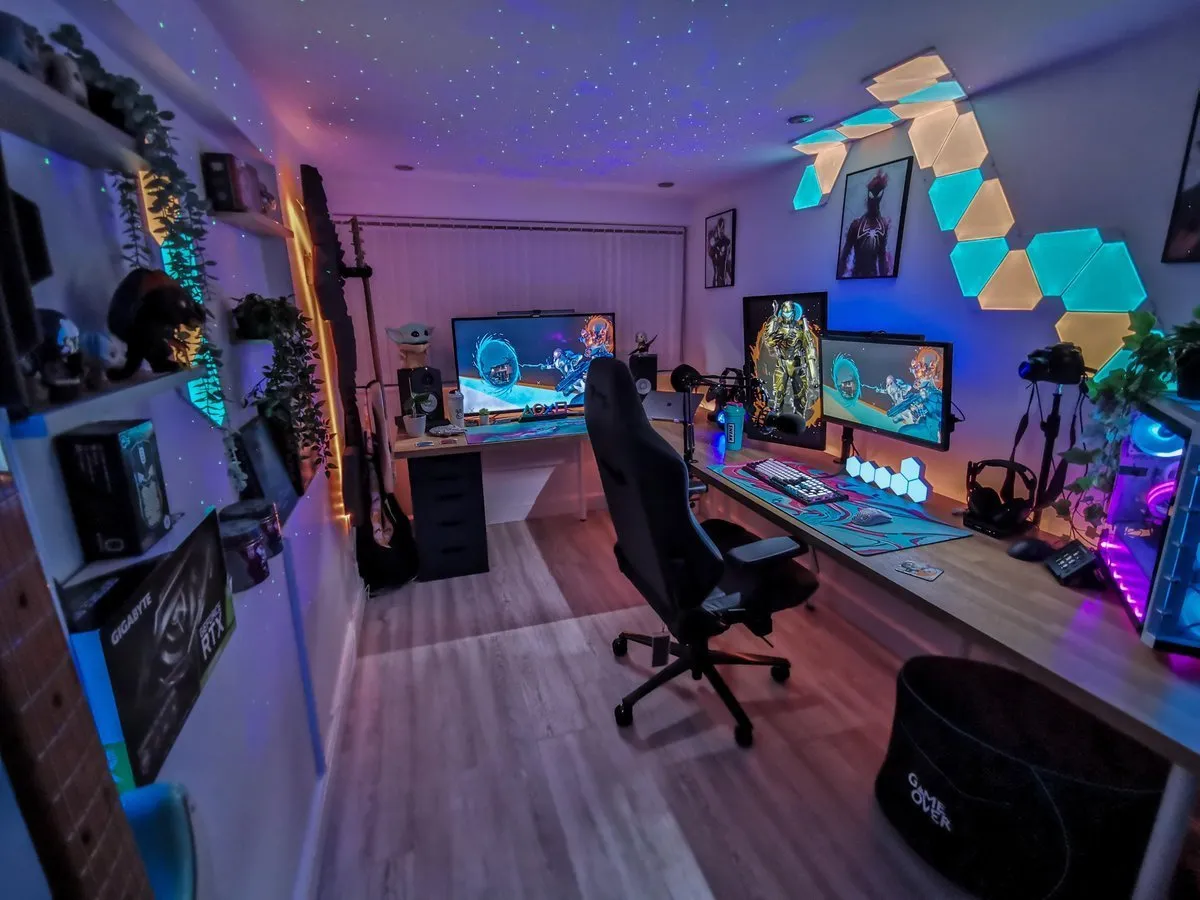
A great man cave gaming room should feel personal, comfortable, and useful—not like a showroom assembled from random signs and RGB accessories. The strongest game-room ideas for men start with the room’s purpose: competitive gaming, movie nights, sports, streaming, collecting, or a mix of all four. From there, the desk, seating, lighting, audio, storage, and décor can support the way the room is actually used.
This guide covers man gaming room ideas for every budget, from small upgrades that clean up a desk to premium monitor positioning, audio, streaming, and display pieces. Product notes are based on current listing details and practical setup considerations, not claimed hands-on testing.
Quick Picks
| Accessory | Best for | Approx. price |
|---|---|---|
| HUANUO Single Monitor Arm with 39-inch Extra-Tall Pole | A single-monitor battlestation that needs more vertical range. | $46 |
| BenQ ErgoArm BSH01 Heavy Duty VESA Desk Mount | A large-screen or ultrawide owner building a premium desk. | $150 |
| HUANUO Dual Monitor Stand 13–27-inch | A dual-monitor PC gamer or streamer. | $53 |
| Logitech G PRO X SUPERLIGHT 2 Wireless Gaming Mouse | A player who prefers a symmetrical mouse and plays FPS games. | $155 |
| Elgato Stream Deck MK.2 Studio Controller | A streamer, creator, or power user who likes shortcuts. | $130 |
| Elgato Stream Deck Mini | Someone starting to stream or automate common desktop tasks. | $50 |
| Elgato Stream Deck Neo | A creator who wants more than Mini but less desk clutter than XL. | $80 |
| UPERGO Solid Wood Headphone Stand with Controller Holder | A gamer with a cluttered desk and a headset plus controller. | $30 |
| Razer Core X V2 External Graphics Enclosure | A PC builder who understands laptop, GPU, and enclosure requirements. | $339 |
| Razer Monitor Stand Chroma | A Razer-focused battlestation that needs height and front-access ports. | $200 |
34 Man Cave Gaming Room Accessories Worth Considering
1. Logitech G PRO X SUPERLIGHT 2 Wireless Gaming Mouse

Category: Input
Best for: A player who prefers a symmetrical mouse and plays FPS games.
Price at the time of research: Approximately $155; check Amazon for the latest price and availability.
Compatibility: PC and Mac
Why We Recommend It
Lightweight shape; strong wireless appeal; premium brand. It improves the battlestation by addressing a specific setup need instead of adding decoration without a purpose.
Key Features
- 60g symmetrical design
- HERO 2 sensor
- up to 44,000 DPI
- USB-C
- up to 95 hours battery
Pros
- Lightweight shape; strong wireless appeal; premium brand.
- Clear practical role in a PC setup.
Cons
- Not ergonomic; few side buttons.
- Personal preferences and installation conditions can affect the result.
What to Check Before Buying
Confirm grip style and whether the recipient already owns a similar lightweight mouse.
Confirm the listing’s current seller, price, stock, exact model, and any required cables or mounting hardware.
2. Razer DeathAdder V4 Pro Wireless Gaming Mouse
Category: Input
Best for: A right-handed palm or claw-grip player who values competitive performance.
Price at the time of research: Approximately $169; check Amazon for the latest price and availability.
Compatibility: PC
Why We Recommend It
Ergonomic shape; high polling; long battery life. It improves the battlestation by addressing a specific setup need instead of adding decoration without a purpose.
Key Features
- 56g body
- 8K polling
- Gen-4 optical switches
- Focus Pro 45K Gen-2 sensor
- up to 150 hours battery
Pros
- Ergonomic shape; high polling; long battery life.
- Clear practical role in a PC setup.
Cons
- Wrong choice for left-handed or symmetrical-mouse users.
- Personal preferences and installation conditions can affect the result.
What to Check Before Buying
Check hand preference and whether 8K polling is supported by the setup.
Confirm the listing’s current seller, price, stock, exact model, and any required cables or mounting hardware.
3. Logitech G502 X Plus LIGHTSPEED Wireless Mouse
Category: Input
Best for: A gamer who wants one mouse for games, productivity, and shortcuts.
Price at the time of research: Approximately $137; check Amazon for the latest price and availability.
Compatibility: PC and Mac
Why We Recommend It
Excellent versatility; RGB; useful extra buttons. It improves the battlestation by addressing a specific setup need instead of adding decoration without a purpose.
Key Features
- LIGHTSPEED wireless
- LIGHTFORCE hybrid switches
- LIGHTSYNC RGB
- HERO 25K sensor
- multiple controls
Pros
- Excellent versatility; RGB; useful extra buttons.
- Clear practical role in a PC setup.
Cons
- Heavier and more complex than an esports mouse.
- Personal preferences and installation conditions can affect the result.
What to Check Before Buying
Ask whether wireless charging or a very lightweight body matters more than controls.
Confirm the listing’s current seller, price, stock, exact model, and any required cables or mounting hardware.
4. Razer BlackWidow V4 Pro Wired Mechanical Keyboard, Yellow Switches
Category: Input
Best for: A desktop gamer who wants macros and a full-size layout.
Price at the time of research: Approximately $200; check Amazon for the latest price and availability.
Compatibility: PC
Why We Recommend It
Feature-rich; highly giftable; dedicated macros. It improves the battlestation by addressing a specific setup need instead of adding decoration without a purpose.
Key Features
- Linear/silent Yellow switches
- command dial
- 8 macro keys
- Chroma RGB
- Snap Tap
- wrist rest
Pros
- Feature-rich; highly giftable; dedicated macros.
- Clear practical role in a PC setup.
Cons
- Wired; large footprint; switch preference is personal.
- Personal preferences and installation conditions can affect the result.
What to Check Before Buying
Confirm desk space and whether the recipient prefers quiet linear switches.
Confirm the listing’s current seller, price, stock, exact model, and any required cables or mounting hardware.
5. Razer BlackWidow V4 75% Mechanical Keyboard
Category: Input
Best for: A gamer who enjoys keyboard customization or has a smaller desk.
Price at the time of research: Approximately $130; check Amazon for the latest price and availability.
Compatibility: PC
Why We Recommend It
Compact; customizable; tactile feedback. It improves the battlestation by addressing a specific setup need instead of adding decoration without a purpose.
Key Features
- 75% layout
- hot-swappable construction
- Orange tactile switches
- RGB
- media controls
Pros
- Compact; customizable; tactile feedback.
- Clear practical role in a PC setup.
Cons
- No number pad; tactile switches are not for everyone.
- Personal preferences and installation conditions can affect the result.
What to Check Before Buying
Check preferred layout and switch sound before buying.
Confirm the listing’s current seller, price, stock, exact model, and any required cables or mounting hardware.
6. Razer BlackWidow V4 X Mechanical Keyboard
Category: Input
Best for: A PC gamer who wants a meaningful keyboard upgrade without a flagship price.
Price at the time of research: Approximately $100; check Amazon for the latest price and availability.
Compatibility: PC
Why We Recommend It
Strong feature-to-price balance; recognizable brand. It improves the battlestation by addressing a specific setup need instead of adding decoration without a purpose.
Key Features
- Yellow linear/silent switches
- 6 macro keys
- RGB
- media controls
- Snap Tap
Pros
- Strong feature-to-price balance; recognizable brand.
- Clear practical role in a PC setup.
Cons
- Wired; not compact; software required for deeper customization.
- Personal preferences and installation conditions can affect the result.
What to Check Before Buying
Confirm the recipient does not need wireless operation.
Confirm the listing’s current seller, price, stock, exact model, and any required cables or mounting hardware.
7. Razer BlackWidow TE Chroma v2 TKL
Category: Input
Best for: A player who wants a compact board but still values function keys.
Price at the time of research: Approximately $197; check Amazon for the latest price and availability.
Compatibility: PC
Why We Recommend It
Saves desk width; familiar gaming features. It improves the battlestation by addressing a specific setup need instead of adding decoration without a purpose.
Key Features
- TKL layout
- Yellow switches
- Chroma RGB
- programmable macros
- magnetic wrist rest
Pros
- Saves desk width; familiar gaming features.
- Clear practical role in a PC setup.
Cons
- Older model; no number pad; check seller condition.
- Personal preferences and installation conditions can affect the result.
What to Check Before Buying
Check listing condition and confirm that a number pad is unnecessary.
Confirm the listing’s current seller, price, stock, exact model, and any required cables or mounting hardware.
8. SteelSeries Arctis Nova 7P Wireless Multi-System Headset
Category: Audio
Best for: A PlayStation player who also uses a PC, phone, or Switch.
Price at the time of research: Approximately $185; check Amazon for the latest price and availability.
Compatibility: PS5, PC, Switch, VR, mobile
Why We Recommend It
Flexible connectivity; strong gift appeal; broad use. It improves the battlestation by addressing a specific setup need instead of adding decoration without a purpose.
Key Features
- 2.4GHz wireless plus Bluetooth
- 38-hour USB-C battery
- Gen2 microphone
Pros
- Flexible connectivity; strong gift appeal; broad use.
- Clear practical role in a PC setup.
Cons
- 7P is not the Xbox-specific version; fit is personal.
- Personal preferences and installation conditions can affect the result.
What to Check Before Buying
Confirm console version and headband comfort preferences.
Confirm the listing’s current seller, price, stock, exact model, and any required cables or mounting hardware.
9. SteelSeries Arctis Nova 7X Wireless Headset
Category: Audio
Best for: An Xbox owner who also games on PC or other platforms.
Price at the time of research: Approximately $200; check Amazon for the latest price and availability.
Compatibility: Xbox, PC, PS5, Switch, VR, mobile
Why We Recommend It
One headset across devices; useful wireless modes. It improves the battlestation by addressing a specific setup need instead of adding decoration without a purpose.
Key Features
- 2.4GHz plus Bluetooth
- 38-hour battery
- AI microphone
- Xbox compatibility
Pros
- One headset across devices; useful wireless modes.
- Clear practical role in a PC setup.
Cons
- More expensive than basic wireless headsets; platform version matters.
- Personal preferences and installation conditions can affect the result.
What to Check Before Buying
Choose 7X for Xbox; do not substitute 7P without checking compatibility.
Confirm the listing’s current seller, price, stock, exact model, and any required cables or mounting hardware.
10. SteelSeries Arctis Nova 7 Wireless Gaming Headset, Renewed
Category: Audio
Best for: Someone comfortable receiving renewed electronics.
Price at the time of research: Approximately $140; check Amazon for the latest price and availability.
Compatibility: PC, PlayStation, Switch
Why We Recommend It
Premium feature set at a lower observed price. It improves the battlestation by addressing a specific setup need instead of adding decoration without a purpose.
Key Features
- 2.4GHz plus Bluetooth
- fast charging
- multi-platform support
Pros
- Premium feature set at a lower observed price.
- Clear practical role in a PC setup.
Cons
- Renewed condition; return terms matter.
- Personal preferences and installation conditions can affect the result.
What to Check Before Buying
Review condition, warranty, and seller details before checkout.
Confirm the listing’s current seller, price, stock, exact model, and any required cables or mounting hardware.
11. SteelSeries Arctis Nova 7 FaZe Clan Edition
Category: Audio
Best for: A known FaZe fan who would appreciate a themed but useful gift.
Price at the time of research: Approximately $181; check Amazon for the latest price and availability.
Compatibility: PC, PlayStation, Mac, mobile, Switch
Why We Recommend It
Personal and collectible; practical headset platform. It improves the battlestation by addressing a specific setup need instead of adding decoration without a purpose.
Key Features
- Dual 2.4GHz/Bluetooth wireless
- 38-hour fast-charge battery
- FaZe Clan design
Pros
- Personal and collectible; practical headset platform.
- Clear practical role in a PC setup.
Cons
- Brand styling is not for everyone; platform fit still matters.
- Personal preferences and installation conditions can affect the result.
What to Check Before Buying
Verify the recipient likes the design before choosing a limited-edition product.
Confirm the listing’s current seller, price, stock, exact model, and any required cables or mounting hardware.
12. SteelSeries Arctis Nova Elite
Category: Audio
Best for: A serious audio enthusiast who already owns ordinary wireless gear.
Price at the time of research: Approximately $600; check Amazon for the latest price and availability.
Compatibility: PC, PlayStation, Xbox
Why We Recommend It
Exceptional premium positioning; multi-source flexibility. It improves the battlestation by addressing a specific setup need instead of adding decoration without a purpose.
Key Features
- 96kHz/24-bit audio
- ANC
- AI noise rejection
- app control
- 2.4GHz plus Bluetooth
Pros
- Exceptional premium positioning; multi-source flexibility.
- Clear practical role in a PC setup.
Cons
- Very expensive; overkill for casual players.
- Personal preferences and installation conditions can affect the result.
What to Check Before Buying
Confirm the recipient wants a flagship headset before making this investment.
Confirm the listing’s current seller, price, stock, exact model, and any required cables or mounting hardware.
13. Elgato Stream Deck MK.2 Studio Controller
Category: Streaming and workflow
Best for: A streamer, creator, or power user who likes shortcuts.
Price at the time of research: Approximately $130; check Amazon for the latest price and availability.
Compatibility: PC and Mac; OBS, Twitch, YouTube workflows
Why We Recommend It
Useful for streaming and everyday productivity; recognizable brand. It improves the battlestation by addressing a specific setup need instead of adding decoration without a purpose.
Key Features
- 15 customizable macro keys
- app and workflow control
- LCD key surfaces
Pros
- Useful for streaming and everyday productivity; recognizable brand.
- Clear practical role in a PC setup.
Cons
- Less useful if the recipient does not customize workflows.
- Personal preferences and installation conditions can affect the result.
What to Check Before Buying
Check desk space and whether the recipient uses compatible apps.
Confirm the listing’s current seller, price, stock, exact model, and any required cables or mounting hardware.
14. Elgato Stream Deck Mini
Category: Streaming and workflow
Best for: Someone starting to stream or automate common desktop tasks.
Price at the time of research: Approximately $50; check Amazon for the latest price and availability.
Compatibility: PC and Mac
Why We Recommend It
Affordable; easy entry into macro control; useful beyond gaming. It improves the battlestation by addressing a specific setup need instead of adding decoration without a purpose.
Key Features
- 6 customizable LCD macro keys
- compact footprint
Pros
- Affordable; easy entry into macro control; useful beyond gaming.
- Clear practical role in a PC setup.
Cons
- Six keys may be limiting for advanced workflows.
- Personal preferences and installation conditions can affect the result.
What to Check Before Buying
Choose the larger MK.2 if the recipient already uses many shortcuts.
Confirm the listing’s current seller, price, stock, exact model, and any required cables or mounting hardware.
15. Elgato Stream Deck Neo
Category: Streaming and workflow
Best for: A creator who wants more than Mini but less desk clutter than XL.
Price at the time of research: Approximately $80; check Amazon for the latest price and availability.
Compatibility: Mac and PC
Why We Recommend It
Small and modern; good middle ground. It improves the battlestation by addressing a specific setup need instead of adding decoration without a purpose.
Key Features
- 8 customizable keys
- 2 touch points
- workflow controls
Pros
- Small and modern; good middle ground.
- Clear practical role in a PC setup.
Cons
- Fewer controls than XL models.
- Personal preferences and installation conditions can affect the result.
What to Check Before Buying
Confirm the recipient’s operating system and preferred workflow software.
Confirm the listing’s current seller, price, stock, exact model, and any required cables or mounting hardware.
16. Elgato Stream Deck + Audio Mixer and Studio Controller
Category: Streaming and workflow
Best for: A streamer who manages scenes, audio, and applications while live.
Price at the time of research: Approximately $180; check Amazon for the latest price and availability.
Compatibility: PC and Mac
Why We Recommend It
Combines shortcut and audio control; strong creator appeal. It improves the battlestation by addressing a specific setup need instead of adding decoration without a purpose.
Key Features
- Customizable keys
- audio mixer controls
- studio workflow support
Pros
- Combines shortcut and audio control; strong creator appeal.
- Clear practical role in a PC setup.
Cons
- Requires setup time; more than a casual gamer needs.
- Personal preferences and installation conditions can affect the result.
What to Check Before Buying
Ask whether dedicated audio controls would improve the current setup.
Confirm the listing’s current seller, price, stock, exact model, and any required cables or mounting hardware.
17. Elgato Stream Deck XL Advanced Studio Controller
Category: Streaming and workflow
Best for: A heavy Stream Deck user with many scenes, apps, or shortcuts.
Price at the time of research: Approximately $200; check Amazon for the latest price and availability.
Compatibility: PC and Mac
Why We Recommend It
Large capacity; excellent for complex workflows. It improves the battlestation by addressing a specific setup need instead of adding decoration without a purpose.
Key Features
- 32 customizable keys
- advanced studio workflow control
Pros
- Large capacity; excellent for complex workflows.
- Clear practical role in a PC setup.
Cons
- Large footprint; expensive for casual use.
- Personal preferences and installation conditions can affect the result.
What to Check Before Buying
Measure the desk and confirm the recipient actually needs 32 keys.
Confirm the listing’s current seller, price, stock, exact model, and any required cables or mounting hardware.
18. Elgato Stream Deck + XL Control Platform
Category: Streaming and workflow
Best for: A professional streamer or creator who wants tactile control.
Price at the time of research: Approximately $350; check Amazon for the latest price and availability.
Compatibility: PC and Mac
Why We Recommend It
Flagship gift appeal; tactile control beyond buttons. It improves the battlestation by addressing a specific setup need instead of adding decoration without a purpose.
Key Features
- XL control platform
- dials
- touch strip
- customizable workflow controls
Pros
- Flagship gift appeal; tactile control beyond buttons.
- Clear practical role in a PC setup.
Cons
- High cost; desk space and workflow fit are essential.
- Personal preferences and installation conditions can affect the result.
What to Check Before Buying
Confirm the recipient will use dials and touch controls rather than a standard keypad.
Confirm the listing’s current seller, price, stock, exact model, and any required cables or mounting hardware.
19. UPERGO Solid Wood Headphone Stand with Controller Holder
Category: Organization
Best for: A gamer with a cluttered desk and a headset plus controller.
Price at the time of research: Approximately $30; check Amazon for the latest price and availability.
Compatibility: Universal PC gaming desk
Why We Recommend It
Useful; attractive; does not duplicate a core peripheral. It improves the battlestation by addressing a specific setup need instead of adding decoration without a purpose.
Key Features
- Solid wood stand
- headset storage
- controller holder
Pros
- Useful; attractive; does not duplicate a core peripheral.
- Clear practical role in a PC setup.
Cons
- Only useful if desk organization is a real need.
- Personal preferences and installation conditions can affect the result.
What to Check Before Buying
Check desk depth and whether the recipient already has a storage stand.
Confirm the listing’s current seller, price, stock, exact model, and any required cables or mounting hardware.
20. RGB Gaming Headset Stand with Mouse Bungee and USB Hub
Category: Input
Best for: A PC gamer who likes illuminated setup accessories.
Price at the time of research: Approximately $50; check Amazon for the latest price and availability.
Compatibility: Universal PC desk
Why We Recommend It
Combines several useful desk functions. It improves the battlestation by addressing a specific setup need instead of adding decoration without a purpose.
Key Features
- RGB lighting
- headset stand
- mouse bungee
- USB hub
Pros
- Combines several useful desk functions.
- Clear practical role in a PC setup.
Cons
- Requires an available USB connection; RGB taste varies.
- Personal preferences and installation conditions can affect the result.
What to Check Before Buying
Confirm cable routing and available USB ports.
Confirm the listing’s current seller, price, stock, exact model, and any required cables or mounting hardware.
21. Walnut Headphone Stand with Controller Holder and Mouse Pad
Category: Input
Best for: A gamer whose desk needs an affordable visual and organizational refresh.
Price at the time of research: Approximately $30; check Amazon for the latest price and availability.
Compatibility: Universal PC gaming desk
Why We Recommend It
Gift-ready bundle; noticeable desk refresh. It improves the battlestation by addressing a specific setup need instead of adding decoration without a purpose.
Key Features
- Headset stand
- controller holder
- 800 x 300 mm mouse pad
Pros
- Gift-ready bundle; noticeable desk refresh.
- Clear practical role in a PC setup.
Cons
- Mouse-pad surface preference is personal.
- Personal preferences and installation conditions can affect the result.
What to Check Before Buying
Check mouse-pad dimensions and surface preference.
Confirm the listing’s current seller, price, stock, exact model, and any required cables or mounting hardware.
22. KDD RGB Gaming Headphone and Controller Stand
Category: Organization
Best for: A budget-conscious gamer who enjoys RGB.
Price at the time of research: Approximately $24; check Amazon for the latest price and availability.
Compatibility: Universal PC desk
Why We Recommend It
Low price; adds charging convenience and lighting. It improves the battlestation by addressing a specific setup need instead of adding decoration without a purpose.
Key Features
- RGB
- 2 Type-C ports
- 1 USB port
- headset and controller storage
Pros
- Low price; adds charging convenience and lighting.
- Clear practical role in a PC setup.
Cons
- USB power and desk placement must work.
- Personal preferences and installation conditions can affect the result.
What to Check Before Buying
Confirm port needs and whether the desk has room for a stand.
Confirm the listing’s current seller, price, stock, exact model, and any required cables or mounting hardware.
23. LTGEM EVA Hard Case for Elgato Stream Deck
Category: Streaming and workflow
Best for: A streamer who transports a Stream Deck between locations.
Price at the time of research: Approximately $23; check Amazon for the latest price and availability.
Compatibility: Elgato Stream Deck models; verify fit
Why We Recommend It
Practical add-on; useful for creators who travel. It improves the battlestation by addressing a specific setup need instead of adding decoration without a purpose.
Key Features
- EVA hard case
- portable protection
- Stream Deck compatibility
Pros
- Practical add-on; useful for creators who travel.
- Clear practical role in a PC setup.
Cons
- Not a core gaming upgrade; fit must be checked.
- Personal preferences and installation conditions can affect the result.
What to Check Before Buying
Verify exact Stream Deck model and interior dimensions.
Confirm the listing’s current seller, price, stock, exact model, and any required cables or mounting hardware.
24. Six-Tier Gaming Controller and Headset Holder
Category: Organization
Best for: A household with multiple controllers and headsets.
Price at the time of research: Approximately $23; check Amazon for the latest price and availability.
Compatibility: PS5, Xbox, PS4, Switch, PC desks
Why We Recommend It
Solves clutter; works across platforms. It improves the battlestation by addressing a specific setup need instead of adding decoration without a purpose.
Key Features
- Six tiers
- rotatable hanger
- cable organizer
Pros
- Solves clutter; works across platforms.
- Clear practical role in a PC setup.
Cons
- Too large for minimalist desks; build quality varies.
- Personal preferences and installation conditions can affect the result.
What to Check Before Buying
Measure the desk and count the devices it needs to hold.
Confirm the listing’s current seller, price, stock, exact model, and any required cables or mounting hardware.
25. Razer Core X V2 External Graphics Enclosure
Category: Organization
Best for: A PC builder who understands laptop, GPU, and enclosure requirements.
Price at the time of research: Approximately $339; check Amazon for the latest price and availability.
Compatibility: Windows 11 devices with Thunderbolt 4/5 or USB4
Why We Recommend It
Ambitious and exciting upgrade; useful for compatible laptops. It improves the battlestation by addressing a specific setup need instead of adding decoration without a purpose.
Key Features
- Four-slot-wide GPU support
- PCIe 4.0
- external graphics enclosure
Pros
- Ambitious and exciting upgrade; useful for compatible laptops.
- Clear practical role in a PC setup.
Cons
- Compatibility-sensitive; GPU is not necessarily included.
- Personal preferences and installation conditions can affect the result.
What to Check Before Buying
Confirm laptop ports, GPU dimensions, power requirements, and operating system first.
Confirm the listing’s current seller, price, stock, exact model, and any required cables or mounting hardware.
26. HUANUO Single Monitor Arm with 39-inch Extra-Tall Pole
Category: Monitor positioning
Best for: A single-monitor battlestation that needs more vertical range.
Price at the time of research: Approximately $46; check Amazon for the latest price and availability.
Compatibility: 13–32-inch screens and up to 38-inch ultrawides; up to 22 lb; VESA; C-clamp and grommet
Why We Recommend It
High impact for freeing desk space and raising a screen. It improves the battlestation by addressing a specific setup need instead of adding decoration without a purpose.
Key Features
- 39-inch extra-tall pole
- adjustable desk mount
- C-clamp/grommet base
- supports ultrawide screens
Pros
- High impact for freeing desk space and raising a screen.
- Clear practical role in a PC setup.
Cons
- Requires careful weight, VESA, and desk-thickness checks.
- Personal preferences and installation conditions can affect the result.
What to Check Before Buying
Measure the desk, confirm VESA, and compare monitor weight with the arm limit.
Confirm the listing’s current seller, price, stock, exact model, and any required cables or mounting hardware.
27. BenQ ErgoArm BSH01 Heavy Duty VESA Desk Mount
Category: Monitor positioning
Best for: A large-screen or ultrawide owner building a premium desk.
Price at the time of research: Approximately $150; check Amazon for the latest price and availability.
Compatibility: Screens up to 45 inches and 44 lb; VESA 75×75/100×100; desks 12–45 mm; clamp/grommet
Why We Recommend It
Premium positioning and strong large-monitor capacity. It improves the battlestation by addressing a specific setup need instead of adding decoration without a purpose.
Key Features
- Heavy-duty gas-spring style mount
- top mounting
- reinforcement plate
- VESA support
Pros
- Premium positioning and strong large-monitor capacity.
- Clear practical role in a PC setup.
Cons
- Expensive; overkill for small displays.
- Personal preferences and installation conditions can affect the result.
What to Check Before Buying
Confirm screen weight without its original stand and verify desk thickness.
Confirm the listing’s current seller, price, stock, exact model, and any required cables or mounting hardware.
28. VIVO Heavy Duty Ultrawide Monitor Tension Arm STAND-V100O
Category: Monitor positioning
Best for: A gamer with one large ultrawide display.
Price at the time of research: Approximately $60; check Amazon for the latest price and availability.
Compatibility: Up to 40-inch screens and 26.4 lb; desktop monitor mount
Why We Recommend It
Strong value for one ultrawide; frees desk footprint. It improves the battlestation by addressing a specific setup need instead of adding decoration without a purpose.
Key Features
- Heavy-duty tension arm
- ultrawide support
- desk mount
Pros
- Strong value for one ultrawide; frees desk footprint.
- Clear practical role in a PC setup.
Cons
- Capacity and screen-size limits still apply.
- Personal preferences and installation conditions can affect the result.
What to Check Before Buying
Check the monitor’s actual weight and VESA pattern before buying.
Confirm the listing’s current seller, price, stock, exact model, and any required cables or mounting hardware.
29. HUANUO Dual Monitor Stand 13–27-inch
Category: Monitor positioning
Best for: A dual-monitor PC gamer or streamer.
Price at the time of research: Approximately $53; check Amazon for the latest price and availability.
Compatibility: Two 13–27-inch screens; each arm 4.4–19.8 lb; VESA 75×75/100×100; clamp/grommet
Why We Recommend It
One purchase creates a more coherent dual-screen layout. It improves the battlestation by addressing a specific setup need instead of adding decoration without a purpose.
Key Features
- Full-motion dual arms
- C-clamp/grommet base
- VESA support
Pros
- One purchase creates a more coherent dual-screen layout.
- Clear practical role in a PC setup.
Cons
- Requires balanced monitor weights and sufficient desk depth.
- Personal preferences and installation conditions can affect the result.
What to Check Before Buying
Check each monitor separately; the per-arm limit matters.
Confirm the listing’s current seller, price, stock, exact model, and any required cables or mounting hardware.
30. Razer Monitor Stand Chroma
Category: Monitor positioning
Best for: A Razer-focused battlestation that needs height and front-access ports.
Price at the time of research: Approximately $200; check Amazon for the latest price and availability.
Compatibility: Monitors up to 44 lb; USB-A, USB-C, HDMI; PC desk
Why We Recommend It
Adds height, organization, ports, and lighting in one unit. It improves the battlestation by addressing a specific setup need instead of adding decoration without a purpose.
Key Features
- Aluminum riser
- storage shelf
- 4-port hub
- Chroma RGB
Pros
- Adds height, organization, ports, and lighting in one unit.
- Clear practical role in a PC setup.
Cons
- Not a monitor arm; expensive for a riser.
- Personal preferences and installation conditions can affect the result.
What to Check Before Buying
Check monitor footprint, cable reach, and required USB/HDMI connections.
Confirm the listing’s current seller, price, stock, exact model, and any required cables or mounting hardware.
31. HUANUO Single Monitor Arm 13–34-inch
Category: Monitor positioning
Best for: A conventional monitor owner wanting more desk room and adjustability.
Price at the time of research: Approximately $60; check Amazon for the latest price and availability.
Compatibility: 13–34-inch screens; 4.4–22 lb; VESA 75/100; C-clamp/grommet
Why We Recommend It
Flexible everyday upgrade for a standard display. It improves the battlestation by addressing a specific setup need instead of adding decoration without a purpose.
Key Features
- Adjustable gas-spring arm
- ergonomic desk mount
- VESA support
Pros
- Flexible everyday upgrade for a standard display.
- Clear practical role in a PC setup.
Cons
- Not designed for the heaviest ultrawides.
- Personal preferences and installation conditions can affect the result.
What to Check Before Buying
Verify the display is within both the size and weight range.
Confirm the listing’s current seller, price, stock, exact model, and any required cables or mounting hardware.
32. HUANUO Single Monitor Arm 13–49-inch with USB
Category: Monitor positioning
Best for: Check the monitor’s weight, VESA pattern, and arm clearance.
Price at the time of research: Approximately $90; check Amazon for the latest price and availability.
Compatibility: 13–49-inch screens; up to 26.48 lb; VESA 75×75/100×100; C-clamp/grommet; USB
Why We Recommend It
Capacity may exclude heavy large displays. It improves the battlestation by addressing a specific setup need instead of adding decoration without a purpose.
Key Features
- Large size range
- USB feature
- adjustable mount
Pros
- Capacity may exclude heavy large displays.
- Clear practical role in a PC setup.
Cons
- A gamer with a broad 34–49-inch ultrawide..
- Personal preferences and installation conditions can affect the result.
33. HUANUO Single Monitor Arm for 40-inch Screens
Category: Monitor positioning
Best for: A large-display owner whose desk needs reinforcement protection.
Price at the time of research: Approximately $111; check Amazon for the latest price and availability.
Compatibility: 40-inch screens; steel reinforcement plate; ultrawide monitor mount
Why We Recommend It
Addresses a real mounting concern on delicate desks. It improves the battlestation by addressing a specific setup need instead of adding decoration without a purpose.
Key Features
- Reinforcement plate
- designed for thin, glass, and fragile tabletops
Pros
- Addresses a real mounting concern on delicate desks.
- Clear practical role in a PC setup.
Cons
- Installation and tabletop compatibility require extra care.
- Personal preferences and installation conditions can affect the result.
What to Check Before Buying
Confirm tabletop material, thickness, and clamp installation space.
Confirm the listing’s current seller, price, stock, exact model, and any required cables or mounting hardware.
34. HUANUO Heavy Duty Monitor Arm for Ultrawide Screens up to 49-inch
Category: Monitor positioning
Best for: A premium ultrawide owner who needs more support than a basic arm.
Price at the time of research: Approximately $131; check Amazon for the latest price and availability.
Compatibility: Up to 49-inch ultrawides; steel monitor mount; reinforcement plate
Why We Recommend It
Useful for demanding single-screen setups. It improves the battlestation by addressing a specific setup need instead of adding decoration without a purpose.
Key Features
- Heavy-duty construction
- reinforcement support
- ultrawide focus
Pros
- Useful for demanding single-screen setups.
- Clear practical role in a PC setup.
Cons
- Listing may have limited featured offers; confirm seller and stock.
- Personal preferences and installation conditions can affect the result.
What to Check Before Buying
Check the exact monitor weight and current offer before ordering.
Confirm the listing’s current seller, price, stock, exact model, and any required cables or mounting hardware.
Man Cave Gaming Room Ideas by Budget
Under $25: clean up the room
Start with a Stream Deck case, controller holder, headset stand, cable ties, or a small organizer. These low-cost purchases can remove clutter and make an existing desk feel more finished.
Under $50: add visible improvement
A Stream Deck Mini, extra-tall monitor arm, desk bundle, RGB headset stand, or compact storage piece can create a noticeable change without requiring a full remodel.
Under $100: upgrade the core setup
Consider a Stream Deck Neo, dual-monitor stand, ultrawide monitor arm, or mechanical keyboard. At this level, verify dimensions and compatibility carefully so the upgrade fits the existing room.
Over $100: build the centerpiece
Premium monitor arms, the Razer Monitor Stand Chroma, high-end headsets, Stream Deck XL models, and the Razer Core X V2 can anchor a serious gaming or streaming zone. Buy these only when the room, hardware, and intended use justify them.
How to Build a Man Cave Gaming Room Step by Step
Step 1 — Decide how the room will be used
List the main activities: PC gaming, console gaming, watching sports, movie nights, streaming, music, or collecting. This prevents the desk from taking over a room that needs flexible seating.
Step 2 — Measure the room and set a realistic budget
Record wall lengths, doors, windows, outlets, and chair clearance. Divide the budget between comfort, core equipment, organization, lighting, and décor rather than spending everything on a single centerpiece.
Step 3 — Choose the desk and seating first
Prioritize desk depth, legroom, chair movement, and a usable surface. A good desk and comfortable chair create more value than decorative items that cannot improve long sessions.
Step 4 — Position the monitor and entertainment screen
Center the main monitor with the chair and decide whether a TV, second display, or projector needs a separate viewing zone. Use a monitor arm or stand only after checking size, weight, VESA, and desk requirements.
Step 5 — Create a practical cable route
Separate PC power, monitor cables, USB devices, Ethernet, speakers, and chargers. Route them toward one rear exit with sleeves, trays, ties, or clips.
Step 6 — Add lighting in layers
Use functional light for the desk, ambient light behind the monitor or along a wall, and a small amount of themed accent lighting. Keep the room comfortable enough for tasks beyond gaming.
Step 7 — Build storage for controllers, headsets, and collectibles
Use stands, shelves, or display areas that keep the main desk clear. Reserve prominent space for items that matter rather than filling every surface.
Step 8 — Add audio and streaming equipment
Place speakers or a microphone so they do not block the screen. Add a headset stand, Stream Deck, webcam, or lighting only when the room’s workflow justifies it.
Step 9 — Add personal man-cave style
Use a restrained mix of team colors, game art, dark wood, metal, collectibles, or framed posters. Repetition of two or three materials looks more intentional than unrelated novelty décor.
Step 10 — Test the room before buying more
Sit at the desk, roll the chair back, check sightlines, test every port, and listen for audio reflections. Only then decide whether another accessory solves a real problem.
How to Make a Man Cave Gaming Room Look Premium
A clean desk usually comes from monitor arms, a shelf or riser, cable routing, under-desk storage, a headset stand, and restrained lighting. The Razer Monitor Stand Chroma combines height, storage, ports, and RGB, while the HUANUO and VIVO arms remove the original monitor stands from the work surface. The result should look premium because it is controlled, not because every surface glows.
How to Add a Streaming Zone to a Man Cave
A practical creator station pairs a Stream Deck with a headset or microphone, good lighting, clear monitor positioning, and cable control. The Stream Deck Mini is a compact starting point; MK.2 and XL models suit more complex workflows; the Stream Deck + adds tactile audio-oriented control. Add the LTGEM case when the creator travels.
How to Build a Dual-Monitor Man Cave Setup
Start with the HUANUO dual-monitor stand and confirm the per-arm weight limit for each display. Add a full-width desk mat, route both video cables together, use a monitor light only if it does not create glare, and keep a USB hub or stand within reach. A dual-monitor setup should be aligned and balanced rather than simply pushed as far apart as possible.
Man Cave Gaming Room Mistakes to Avoid
The most common mistakes are adding too much RGB, ignoring cable routing, mounting a monitor arm beyond its weight limit, overcrowding the desk, overlooking desk depth, connecting more USB devices than the hub can support, neglecting practical power management, buying the wrong platform or port version, and choosing aesthetics over comfort.
Frequently Asked Questions
What accessories do I need for a gaming battlestation?
Start with monitor positioning, a desk mat, cable routing, comfortable audio, peripheral storage, useful lighting, and sufficient USB and power access. Add streaming or RGB equipment only after the practical foundation works.
How do I make my gaming setup look better?
Use consistent materials, hide cables, align the monitors, keep the desk mat centered, and limit décor to a few intentional pieces. A clean layout generally looks more premium than a crowded desk.
What are the best gaming desk accessories?
Monitor arms, desk mats, cable-management tools, headset stands, shelves, USB hubs, and Stream Decks are strong choices because they improve function as well as appearance.
How do I hide cables on a gaming desk?
Group cables by destination, route them toward the rear edge, use under-desk trays or sleeves, secure slack with reusable ties, and leave enough movement for adjustable monitor arms.
Are monitor arms worth it for a gaming setup?
They can be one of the most noticeable upgrades because they free desk space and make monitor height and distance easier to adjust. Confirm VESA pattern, weight, size, desk thickness, and clamp clearance first.
What lighting is best for a gaming battlestation?
Functional light should illuminate the desk without reflecting into the display. Ambient or bias lighting should sit behind the monitor or around the desk, with brightness low enough to avoid distraction.
How do I organize a gaming desk?
Give each frequently used item a home, move the PC and power equipment off the main work zone when practical, and use monitor arms, stands, shelves, and cable routing to keep the center clear.
What are the best accessories for a dual-monitor gaming setup?
A compatible dual-monitor arm, a large desk mat, organized video and power cables, a USB hub, and a correctly positioned light are the most useful starting points.
What are the best battlestation upgrades under $100?
The HUANUO dual-monitor stand, VIVO ultrawide arm, HUANUO single arms, Stream Deck Neo, BlackWidow V4 X, and RGB desk accessories offer the strongest mix of setup impact and moderate cost.
