
A 1440p OLED gaming monitor is one of the most noticeable upgrades for a modern PC setup. OLED panels deliver near-instant pixel response, deep blacks, strong contrast, and excellent motion clarity. The main decision is not simply choosing the monitor with the highest refresh rate. You also need to compare panel type, brightness, text clarity, connectivity, burn-in protection, warranty coverage, and the games you actually play.
For most buyers, a 27-inch 1440p OLED at 240Hz is the best balance. A 360Hz model makes more sense for competitive players who have a powerful graphics card and spend most of their time in esports titles. A QD-OLED model can provide vivid color and excellent HDR, while a WOLED model may be preferable in a brighter room or when text and desktop use matter more.
Quick Answer
The best 1440p OLED monitor for gaming is usually a 27-inch 240Hz QD-OLED or WOLED display with HDR, adaptive sync, a strong burn-in policy, and enough brightness for your room. The Alienware AW2725DF is the best high-refresh deal target, with a 27-inch 1440p QD-OLED panel, 360Hz refresh rate, and 0.03ms advertised response time. The ASUS ROG Swift PG27AQDM is a strong 240Hz OLED option, while the Gigabyte M27Q2 QD is worth watching for a newer QD-OLED value configuration.
Prices change often, and several models may move above or below their usual street price. Treat deal coverage as a snapshot and verify the live product page before publishing or purchasing.
What Matters in a 1440p OLED Monitor?
| Feature | Recommended target | Why it matters |
|---|---|---|
| Resolution | 2560×1440 | A strong balance of sharpness and GPU performance at 27 inches |
| Refresh rate | 240Hz for most buyers; 360Hz for esports | Higher refresh improves motion clarity when the GPU can deliver the frames |
| Panel type | QD-OLED or WOLED | QD-OLED emphasizes color volume; WOLED can suit brighter rooms and mixed use |
| HDR | True HDR support with useful peak brightness | OLED contrast is excellent, but HDR quality still depends on brightness and tone mapping |
| Adaptive sync | FreeSync Premium/Pro or G-SYNC compatibility | Helps reduce tearing and stutter across variable frame rates |
| Connectivity | DisplayPort plus HDMI 2.1 or current HDMI inputs | Important for PC, console, and high-refresh compatibility |
| Burn-in protection | Pixel refresh, panel care, screen move, and warranty coverage | Reduces risk and improves long-term ownership confidence |
| Ergonomics | Height, tilt, swivel, VESA support | Makes a premium panel easier to use every day |
Best 1440p OLED Gaming Monitors to Check First
The models below are recommendation targets based on current product information and market listings. Exact prices, seller status, warranty terms, and panel revisions must be checked on the live Amazon page.
1. Alienware AW2725DF — Best 360Hz QD-OLED Deal Target
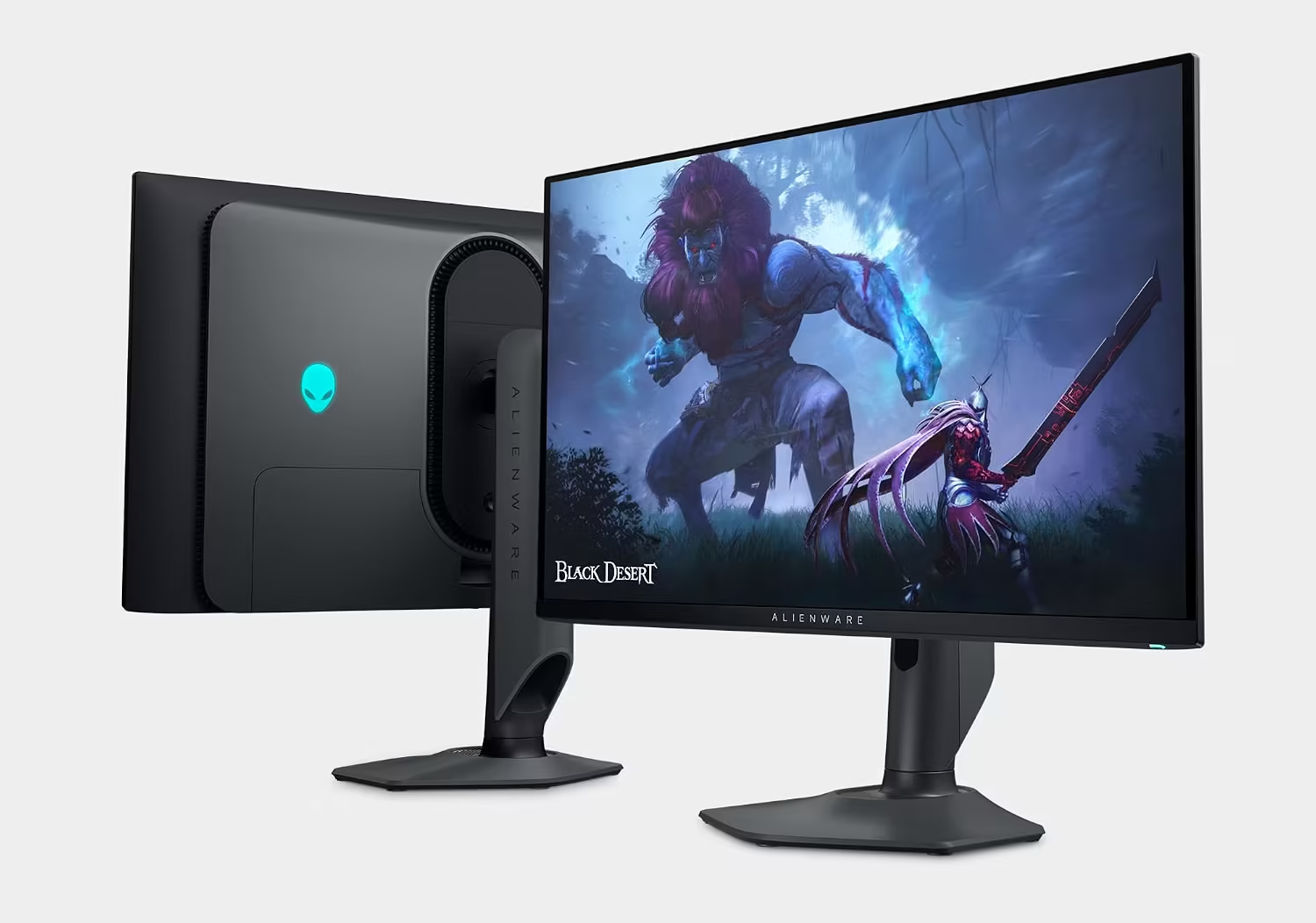
The Alienware AW2725DF is a 26.7-inch QD-OLED gaming monitor with a 2560×1440 resolution, 360Hz refresh rate, 0.03ms advertised response time, and AMD FreeSync Premium Pro. Current product references also describe HDR True Black 400 and DisplayPort/HDMI connectivity.[2]
This is the most compelling choice for competitive players who want OLED contrast without moving to 4K. The 360Hz ceiling is useful only when the system can produce very high frame rates, so it is best paired with a powerful PC and games such as Counter-Strike 2, Valorant, Overwatch 2, or Fortnite Performance Mode.
Best for: Competitive esports and high-end gaming PCs.
Strength: 360Hz QD-OLED motion clarity and vivid color.
Trade-off: Its value is harder to justify for slower single-player games or office-heavy use.
2. ASUS ROG Swift PG27AQDM — Best 240Hz WOLED Performance Pick

The ASUS ROG Swift PG27AQDM is a 27-inch 1440p OLED monitor with a 240Hz refresh rate and a 0.03ms gray-to-gray response-time claim. Its WOLED panel is designed for fast gaming, strong contrast, and HDR playback, while ASUS includes gaming features aimed at motion clarity and image control.
It is a good fit for buyers who want a proven 240Hz OLED format without paying for a 360Hz ceiling they may not use. Confirm the current model revision, firmware, warranty terms, and burn-in coverage before ordering.
Best for: High-refresh gaming with a balanced 240Hz target.
Strength: 1440p OLED, 240Hz, and very fast pixel response.
Check first: Bright-room performance, warranty, and panel-care features.
3. Gigabyte M27Q2 QD — Best Newer QD-OLED Value Watch
The Gigabyte M27Q2 QD listing describes a 27-inch 2560×1440 QD gaming monitor with a high refresh rate, 1ms response time, FreeSync Premium, DisplayHDR support, HDMI, and DisplayPort. Search results and listing text may show different refresh-rate or panel details depending on the configuration, so the live product page should be treated as authoritative.[3]
This is a particularly useful model to watch when it is priced below established 240Hz OLED competitors. Verify whether the exact listing is OLED or another QD-enhanced panel, because “QD” alone does not always mean QD-OLED.
Best for: Buyers looking for a newer Gigabyte QD display.
Strength: Potentially strong color and high refresh value.
Critical check: Confirm OLED panel type, refresh rate, and warranty.
4. AOC 27-inch QD-OLED 1440p 240Hz — Best Budget Deal Target
AOC’s 27-inch QD-OLED category has appeared in current deal coverage with a 1440p resolution, 240Hz refresh rate, and a 0.03ms response-time claim. One recent deal report placed an AOC QD-OLED model at $329, although deal pricing and exact model availability can change quickly.[4]
This is the category to investigate first when the goal is maximum OLED value. Verify the exact model number, HDR rating, adaptive-sync support, and burn-in warranty rather than purchasing solely from a promotional headline.
Best for: Buyers who want OLED at an aggressive sale price.
Strength: 240Hz QD-OLED performance at potential midrange pricing.
Check first: Exact AOC model, warranty, brightness, and return policy.
5. ASUS ROG Strix OLED 27-inch 1440p 240Hz — Best Feature-Rich ASUS Alternative
ASUS ROG Strix OLED models provide another 27-inch 1440p 240Hz path for buyers who want a broad set of gaming features, OLED contrast, and fast motion handling. Search results have shown substantial price variation, so the value depends heavily on the current promotion.
Consider this category when the price is close to the ASUS PG27AQDM or a leading Alienware model. Confirm the panel type, HDMI version, firmware, and warranty before choosing it over a less expensive alternative.
Best for: Buyers who prefer ASUS gaming features and design.
Strength: High refresh OLED with a robust gaming feature set.
Check first: Exact model and current sale price.
6. LG UltraGear 27-inch 1440p OLED — Best WOLED Category for Mixed Gaming
LG UltraGear OLED monitors are worth comparing for buyers who want a fast WOLED display, strong console support, and established gaming-monitor ergonomics. The exact refresh rate, HDMI features, stand, and warranty depend on the model, so use the category as a comparison route rather than assuming every UltraGear product is identical.
LG’s OLED gaming monitors can be a good fit for mixed gaming and media use, particularly when a buyer values deep blacks and a more traditional WOLED presentation.
Best for: Mixed PC, console, and cinematic gaming.
Strength: Strong OLED contrast and established gaming-monitor design.
Check first: Exact refresh rate, VRR, HDMI version, and burn-in warranty.
7. Samsung Odyssey OLED G6 27-inch 1440p — Best Samsung Deal Watch
Samsung’s Odyssey OLED G6 family is another high-refresh 1440p OLED category to watch. Samsung has also offered 4K OLED models, so make sure the listing is the 27-inch 1440p version if that is the intended purchase.
The G6 category is especially relevant for buyers who want a high-refresh gaming monitor from a major display brand. Compare the final price, panel type, matte or glossy finish, and warranty against Alienware, ASUS, LG, and AOC.
Best for: Buyers who prefer Samsung’s OLED gaming ecosystem.
Strength: High-refresh OLED positioning from a major manufacturer.
Check first: 1440p versus 4K model, refresh rate, and warranty terms.
8. KTC 27-inch 1440p 240Hz — Budget High-Refresh Comparison, Not Confirmed OLED
The KTC listing describes a 27-inch 1440p 240Hz monitor with 1ms response time, HDR, 130% sRGB coverage, and FreeSync/G-SYNC compatibility. It is included as a price comparison because it may deliver high-refresh gaming at a much lower cost, but the current listing should not be treated as an OLED recommendation unless the panel type is explicitly confirmed.
This is the right comparison for a buyer who wants motion clarity and lower cost but is unsure whether OLED’s contrast and HDR benefits justify the premium.
Best for: Buyers comparing OLED against affordable high-refresh IPS or VA.
Strength: High refresh at a lower entry price.
Trade-off: Do not assume OLED contrast or OLED burn-in behavior.
QD-OLED Versus WOLED
QD-OLED panels use quantum dots to enhance color volume and can look exceptionally vivid in HDR content. WOLED panels use a white OLED structure with color filters and may offer different brightness behavior, text rendering, and room suitability depending on the generation.
Neither technology is automatically best for every buyer. QD-OLED can be spectacular for color-rich games in a controlled room, while a newer WOLED can be a more comfortable mixed-use choice. Compare measured brightness, text clarity, coating, warranty, and panel-care tools rather than buying only by the acronym.
| QD-OLED | WOLED |
|---|---|
| Strong color volume and saturated HDR | Often a balanced choice for gaming and mixed use |
| Excellent black levels and pixel response | Excellent black levels and pixel response |
| May show raised blacks in bright ambient light on some coatings | Model-specific brightness and text behavior |
| Often glossy or semi-gloss depending on model | Matte and glossy options exist |
| Still requires burn-in precautions | Still requires burn-in precautions |
Is 240Hz or 360Hz Better?
Choose 240Hz for the best balance. It is already far beyond the 144Hz/165Hz range and is suitable for competitive play, action games, and fast desktop interaction. Choose 360Hz when you own a powerful PC, play esports titles seriously, and can regularly produce frame rates high enough to benefit from the extra refresh headroom.
A 360Hz OLED is not automatically smoother in every real-world situation. If your game runs at 120–180 frames per second, a well-tuned 240Hz monitor may deliver nearly the same practical experience while costing less.
OLED Burn-In: What You Need to Know
OLED burn-in refers to uneven panel wear that can leave persistent image retention after static elements remain on screen over long periods. Modern OLED gaming monitors include panel-care features such as pixel refresh, logo detection, screen movement, dimming, and compensation cycles. These features reduce risk but do not make the panel physically immune.
Use a rotating screensaver, hide static desktop elements when practical, vary your content, allow the monitor’s panel-care routine to run, and avoid disabling protective features simply to maintain a static maximum-brightness setting. If the monitor will display the same productivity windows for eight hours every day, compare the warranty and consider an IPS alternative.
OLED Warranty and Panel-Care Checklist
| Check | Why it matters |
|---|---|
| Explicit burn-in coverage | Some manufacturers include burn-in in the warranty; others do not |
| Warranty duration | Longer coverage increases confidence in a premium purchase |
| Pixel refresh behavior | Understand when the routine runs and how long it takes |
| Automatic protection | Logo dimming and screen movement reduce static-image exposure |
| Return policy | Useful for dead pixels, coating preferences, or visible uniformity issues |
| Firmware updates | Can improve panel behavior, HDR, VRR, and protection features |
What to Check Before Buying
Confirm the exact panel type. “OLED,” “QD,” “QD gaming,” and “OLED-like” are not interchangeable labels. Check the manufacturer model number and official specification page.
Confirm the refresh rate over your intended connection. Some monitors reach their headline refresh rate only through DisplayPort, while HDMI may have a lower limit. For a console, HDMI behavior matters most.
Check HDR brightness, adaptive-sync support, USB connectivity, stand adjustment, VESA mounting, and warranty details. A 0.03ms response-time claim does not tell you how bright the monitor is or how well it handles VRR flicker.
Common Mistakes to Avoid
Do not buy a 360Hz OLED if your graphics card cannot produce high frame rates in your main games. Do not choose an OLED for heavy office work without considering static-content habits and warranty coverage. Do not assume QD-OLED is always better than WOLED in a bright room.
Do not trust a marketplace listing that omits the exact model number, panel type, or warranty. Do not disable every panel-care feature to preserve a static desktop image. Do not confuse a high-refresh LCD with an OLED simply because the product title contains “QD” or “HDR.”
Frequently Asked Questions
What is the best 1440p OLED monitor for gaming?
The Alienware AW2725DF is a strong high-refresh target with 1440p QD-OLED and 360Hz, while the ASUS ROG Swift PG27AQDM is a balanced 240Hz OLED option. The best choice depends on your GPU, games, room lighting, and warranty preference.
Is 240Hz OLED worth it?
Yes, for competitive gaming and fast motion. A 240Hz OLED combines high refresh with extremely fast pixel response and excellent contrast. It is usually a better value balance than 360Hz for most players.
Is 360Hz OLED overkill?
For many buyers, yes. It makes sense for esports players with a powerful PC and consistently high frame rates. If you play mostly single-player games, a 240Hz model may offer nearly the same practical benefit at a lower price.
Does OLED burn in?
OLED panels can experience permanent image retention from prolonged static content. Modern monitors include protective routines and some manufacturers offer burn-in coverage, but users should still vary content and allow panel-care cycles to run.
Is QD-OLED better than WOLED for gaming?
Neither is universally better. QD-OLED often emphasizes color volume, while WOLED can be attractive for mixed use and different room conditions. Compare the exact model’s brightness, coating, text clarity, VRR behavior, and warranty.
Is OLED good for PC gaming?
Yes. OLED is especially strong for dark games, fast motion, HDR content, and competitive play. Its main trade-off is the need to manage static content and evaluate burn-in coverage.
What GPU do I need for 1440p 240Hz OLED?
The required GPU depends on the game. Esports titles can reach very high frame rates on midrange GPUs, while demanding AAA games may need a high-end GPU and upscaling to approach 240 frames per second. Buy the monitor for its panel quality and upgrade path, not the assumption that every game will reach 240Hz.
