
The HyperX Cloud III is the safest all-around recommendation for a sub-$100 FPS headset. Current listings describe angled 53mm drivers, DTS spatial audio, memory-foam ear cushions, a durable frame, a detachable microphone, and compatibility with PC, PS5, Xbox Series X|S, and other platforms through the appropriate connection.1
Its appeal is consistency. The headset is comfortable, easy to drive, and less complicated than a wireless model. Wired operation also avoids battery management and gives you a predictable connection for ranked play.
Best for: Most PC and console FPS players.
Strength: Comfortable fit, useful positional detail, and broad compatibility.
Trade-off: Cable management and platform-specific USB features require attention.
HyperX Cloud III Wireless — Best Wireless Deal Target
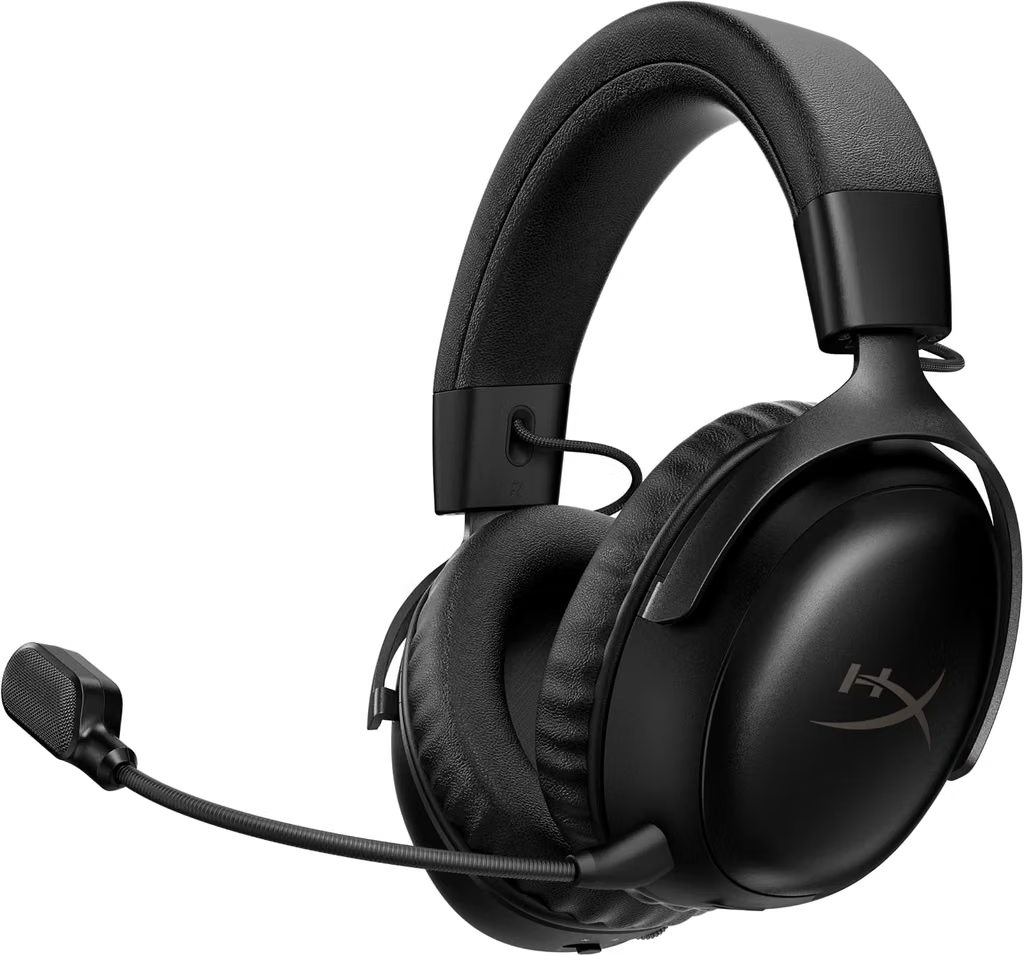
The Cloud III Wireless listing describes 2.4GHz wireless operation, PC and PlayStation compatibility, a noise-canceling microphone, and up to 120 hours of battery life. It is an excellent deal target when the live price falls under $100.
For FPS gaming, 2.4GHz wireless is preferable to ordinary Bluetooth because it is designed for low-latency game audio. Confirm whether the package is the standard headset, a bundle, or a platform-specific version before ordering.
Best for: PC and PlayStation players who want long battery life.
Strength: Wireless convenience without giving up a gaming-focused connection.
Check first: Xbox support, current price, dongle contents, and firmware requirements.
SteelSeries Arctis Nova 5P Wireless — Best PlayStation Wireless Flexibility

The Arctis Nova 5P Wireless listing describes neodymium magnetic drivers, more than 100 audio presets, up to 60 hours of battery life, and both 2.4GHz and Bluetooth connectivity. The “P” designation is important: this version is designed around PlayStation compatibility, while other Nova versions target Xbox or broader platforms.
The large preset library can be useful if you switch between shooters and other games, although competitive players should evaluate presets by listening rather than assuming a branded profile will improve footstep detection.
Best for: PlayStation FPS players who also want Bluetooth.
Strength: Platform-focused wireless flexibility and long battery life.
Check first: Exact console version and whether the current price stays below $100.
Razer BlackShark V2 HyperSpeed — Best PC Wireless Alternative
The Razer BlackShark V2 HyperSpeed listing describes 50mm drivers, a cardioid microphone, 2.4GHz wireless, Bluetooth, USB connectivity, and up to 70 hours of wireless battery life. It is a strong PC-first option for buyers who want multiple connection methods.
The cardioid mic pattern is intended to focus pickup toward the speaker and reduce some off-axis room noise. As with any budget microphone, placement and microphone level matter as much as the specification.
Best for: PC players who want 2.4GHz and Bluetooth in one headset.
Strength: Flexible connections and a gaming-oriented microphone.
Check first: Console compatibility, software requirements, and current sale price.
SteelSeries Arctis Nova 1 — Best Simple Wired Alternative
The Arctis Nova 1 is a straightforward wired headset for buyers who want comfort and a reliable analog connection. Budget-headset testing coverage has highlighted its build and sound as competitive in the low-cost category.2
A wired 3.5mm headset is easy to move between compatible devices and does not need software, charging, or a wireless dongle. It is a sensible choice for a player who values simplicity over advanced wireless features.
Best for: Multi-platform users who want a simple wired headset.
Strength: Easy connection and low ownership complexity.
Trade-off: Less flexible than USB or wireless models.
Razer BlackShark V2 X — Best Low-Cost Wired FPS Pick
The BlackShark V2 X is a lightweight wired headset with 50mm drivers, a cardioid microphone, and a 3.5mm connection. It is a strong choice when the budget is closer to $50 than $100 and you want to spend the difference on a mouse, mouse pad, or replacement earpads.
The main advantage is value. It avoids wireless battery concerns and can work with PCs, controllers, and many mobile or handheld devices that still include a headset jack or adapter.
Best for: Entry-level FPS players and secondary setups.
Strength: Low price, low weight, and easy analog compatibility.
Trade-off: Fewer premium controls and less isolation than higher-tier models.
RIG 600 PRO HS — Best Lightweight PlayStation Wireless Option
The RIG 600 PRO HS listing describes dual wireless connectivity through 2.4GHz and Bluetooth for PlayStation 4 and PlayStation 5. Its lightweight design makes it interesting for players who dislike heavy headsets.
Weight is especially important in long FPS sessions, but a very light headset may sacrifice some clamp force, isolation, or low-frequency body. Check the fit, battery information, and microphone reviews before buying.
Best for: PlayStation users who prioritize light weight.
Strength: Dual wireless connectivity and a lightweight design.
Check first: PC compatibility, battery life, and current price.
Logitech G435 LIGHTSPEED — Best Ultra-Light Wireless Deal
The Logitech G435 is known for a very light 165-gram design, LIGHTSPEED wireless, and Bluetooth connectivity. It is a useful choice for smaller heads, travel, or a lightweight setup, although its integrated microphone and compact construction are not aimed at studio-quality voice communication.
Choose it when comfort and low weight matter more than premium isolation, microphone control, or the deepest sound profile. Confirm the platform support and whether a USB receiver is included.
Best for: Lightweight wireless gaming and smaller users.
Strength: Very low weight and flexible wireless connectivity.
Trade-off: More limited microphone and fit adjustability than larger headsets.
Wired Versus Wireless for FPS
Wired headsets remain the most predictable choice. They do not need charging, pair instantly, and often provide the best value for a given sound and microphone budget. A 3.5mm model is especially convenient for controllers, but USB models may provide software EQ, sidetone, and virtual surround features.
Wireless headsets are more convenient and can eliminate cable drag, but use the 2.4GHz dongle for gaming whenever possible. Bluetooth is useful for phones and secondary devices, but Bluetooth latency and microphone behavior can vary by codec and platform.
| Wired | Wireless |
|---|---|
| No battery management | Cleaner desk and couch setup |
| Usually better value | Convenient 2.4GHz low-latency connection |
| Easy 3.5mm controller compatibility | Battery and dongle management required |
| Cable can catch on the desk | Platform compatibility varies |
| Predictable connection | Bluetooth is useful for mobile devices |
How to Improve Footstep and Positional Audio
Start with a neutral or lightly bright sound profile rather than maximum bass. Excessive low-end energy can make explosions exciting but mask quiet movement cues. In the game’s audio settings, choose the headphone or headset mix and reduce unnecessary music if it competes with directional information.
Use virtual surround only if it helps you locate sounds more reliably. Some players prefer stereo because it preserves a clearer left/right image, while others benefit from a carefully tuned spatial mode. Test the same training range or replay several matches before deciding.
Keep the headset centered on your head and make sure the ear cushions seal consistently. A poor fit can change bass response and make the soundstage feel uneven.
Microphone Buying Advice
A clear microphone is more valuable than a microphone with a long list of processing features. Look for a boom that stays close to the corner of your mouth without touching it, and set the input level so normal speech does not clip. Use push-to-talk when room noise is distracting.
Noise cancellation can reduce keyboard and fan noise, but aggressive processing can make speech sound thin or clipped. If you stream regularly, a dedicated USB microphone may be a better future upgrade than spending extra on a premium headset microphone.
Platform Compatibility Checklist
Before buying, confirm the exact version. A PlayStation model may not provide native Xbox wireless support, while an Xbox model may require a different dongle or connection method on PC. For a 3.5mm headset, check whether your controller, laptop, or desktop uses a combined headset jack.
For PC USB headsets, confirm that the operating system recognizes the headset and that any companion software supports the features you expect. On consoles, verify whether game/chat balance, sidetone, EQ, and microphone monitoring work through the intended connection.
Common Mistakes to Avoid
Do not buy based only on “7.1 surround” wording. Do not assume a more expensive headset automatically makes footsteps easier to hear. Do not use Bluetooth as your primary competitive connection unless you have verified latency and microphone behavior on your device.
Do not ignore fit. A headset with excellent specifications is a poor purchase if it clamps too tightly, slides during movement, or makes your ears hot after an hour. Finally, do not forget the return policy and replacement-pad availability.
Frequently Asked Questions
What is the best gaming headset for FPS under $100?
The HyperX Cloud III wired is the strongest all-around starting point, while the HyperX Cloud III Wireless is the best wireless deal target when discounted below $100. PC players should also compare the Razer BlackShark V2 HyperSpeed.
Is wired or wireless better for FPS?
Wired is the simplest and most predictable choice. Wireless is also suitable when it uses a gaming-focused 2.4GHz connection. Bluetooth is better treated as a secondary connection for phones and general use.
Is surround sound good for FPS?
It can help some players, but it is not automatically better than stereo. Test the game’s headphone mix and compare spatial modes using repeatable audio cues before committing to one setting.
Which headset is best for hearing footsteps?
Choose a headset with clear mids, controlled bass, consistent left/right imaging, and a comfortable seal. The HyperX Cloud III, Arctis Nova 1, and BlackShark V2 family are sensible starting points under $100.
Does a better microphone improve FPS performance?
It does not improve your own audio positioning, but clear voice communication can improve team coordination. Microphone placement and input gain are as important as the headset’s microphone specification.
Can I use a PC gaming headset on PS5 or Xbox?
Often, but not always. Wired 3.5mm headsets are usually the easiest to move between platforms. Wireless models may be limited to PC and PlayStation or PC and Xbox, so check the exact platform version.
Are budget wireless headsets good enough for competitive gaming?
Yes, when they use a stable 2.4GHz gaming connection and have acceptable positional imaging. Competitive players should test battery level, connection stability, microphone monitoring, and game/chat controls before relying on one in tournaments.
