
The RTX 5070 is an appealing target for high-refresh 1440p gaming and entry-level 4K gaming, but an RTX 5070 prebuilt under $1,200 is a demanding value target. The current listings checked for this guide were generally unavailable, far above the budget, or lacked a confirmed price in the visible listing. That matters: a guide should not label a $1,700 or $2,500 desktop as a current under-$1,200 recommendation simply because it has the right GPU.
This guide gives you the most useful answer for the market as it stands: identify the exact RTX 5070 systems worth watching, explain what the rest of the configuration should include, and show when an RTX 5060 Ti, RTX 5060, RX 7700 XT, or custom build may be a better purchase.
Quick Answer
The best gaming PC under $1,200 with an RTX 5070 is the best legitimate sale configuration that includes 16GB or 32GB of RAM, a 1TB NVMe SSD, a modern six-core-or-better CPU, a reputable power supply, and adequate cooling. During the current listing check, no RTX 5070 desktop could be confirmed as both available and under $1,200.
The most useful deal-watch listings are the Acer Nitro RTX 5070 desktop, the Skytech Azure 3 Plus RTX 5070 desktop, and the Lenovo Legion Tower 5i RTX 5070 desktop. All should be rechecked for stock, price, seller, and exact configuration before publication or purchase.
What an RTX 5070 PC Should Include
| Component | Minimum target | Preferred target |
|---|---|---|
| GPU | RTX 5070 with 12GB GDDR7 | A well-cooled card with a clearly identified power limit |
| CPU | Modern Core i5/Core Ultra 5 or Ryzen 5/7 | Ryzen 7 or Core Ultra 7 when the price remains balanced |
| RAM | 16GB dual-channel | 32GB DDR5 |
| Storage | 1TB NVMe SSD | 1TB or 2TB NVMe SSD with an open expansion slot |
| Power supply | Reputable 750W-class unit | 750W or higher, appropriate PCIe power connector, 80 Plus Gold preferred |
| Cooling | Full-size airflow case | Mesh-front case with multiple intake and exhaust fans |
| Operating system | Windows 11 | Windows 11 with clear license and warranty terms |
RTX 5070 Desktops Worth Watching
1. Acer Nitro Gaming Desktop with Core i7-14700F and RTX 5070 — Best Mainstream Deal Target
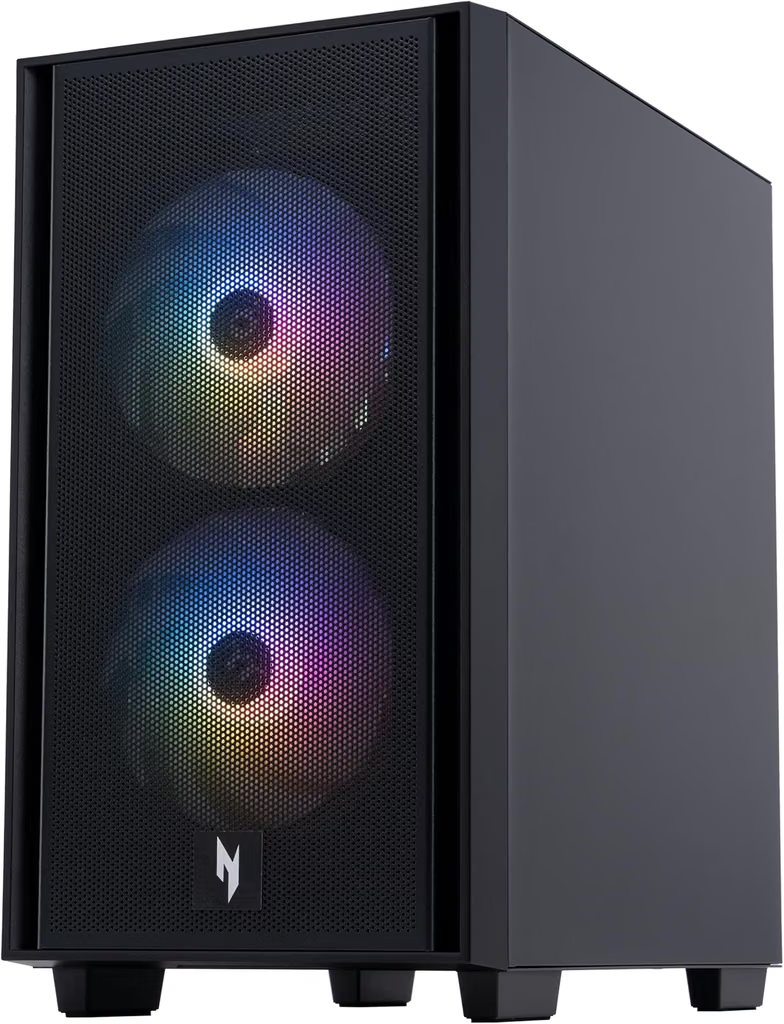
The listing identifies an Intel Core i7-14700F, NVIDIA GeForce RTX 5070, 32GB of RAM, and a 1TB SSD. That is the right overall specification pattern for a balanced RTX 5070 desktop: a strong processor without sacrificing memory or storage.
The visible product page did not expose a confirmed under-$1,200 price during the check. Treat it as a deal-watch model. If it reaches the target price, verify the power supply, motherboard, cooling, warranty, and exact graphics-card configuration before ordering.
Best for: Buyers who want a mainstream brand and a balanced specification.
1440p outlook: A strong fit for high-refresh 1440p, subject to game settings and ray tracing.
Check first: PSU model, case airflow, and current seller.
2. Skytech Azure 3 Plus with Ultra 5 245K and RTX 5070 — Best 32GB/2TB Deal Watch

The Skytech listing describes an Intel Ultra 5 245K processor, RTX 5070 with 12GB of VRAM, 32GB of DDR5-6000 RAM, and a 2TB Gen4 NVMe SSD. That combination gives the system a strong balance of graphics, memory, and storage, and the 2TB drive is useful for a large game library.
The page did not provide a confirmed under-$1,200 price in the current extraction. Skytech prebuilts can vary in power supply and motherboard details, so inspect the full specification section and warranty terms.
Best for: Buyers who value 32GB RAM and 2TB storage.
1440p outlook: Well suited to high settings and high refresh rates in many games.
Check first: Exact PSU, CPU cooler, and whether the current listing is new or marketplace-sold.
3. Lenovo Legion Tower 5i with Ultra 7 265F and RTX 5070 — Best Premium Configuration to Monitor
The listing describes an Intel Ultra 7 265F, RTX 5070 with 12GB of GDDR7 memory, 64GB of DDR5 RAM, and 3TB of total storage. It also lists Wi-Fi 6E, RGB cooling, and Windows 11 Pro. On specification alone, it is considerably above the sensible baseline for a budget RTX 5070 PC.
The listing was marked currently unavailable, and related live results showed a much higher price. It is therefore a premium reference point, not a confirmed under-$1,200 purchase.
Best for: Buyers tracking a clearance or major promotion.
1440p outlook: Strong headroom for high-refresh 1440p.
Check first: Availability and whether the configuration has changed.
4. MSI Aegis R2 AI with Ultra 7 and RTX 5070 Ti — Premium Comparison, Not a $1,200 Pick
The MSI Aegis R2 listing describes an Intel Ultra 7 processor, 32GB of RAM, an 8TB SSD, an RTX 5070 Ti with 16GB of GDDR7 memory, a 360mm liquid cooler, Wi-Fi 7, and a 750W Gold power supply. These specifications place it well above the under-$1,200 category.
It is included as a comparison because it shows what a premium RTX 5070 Ti system looks like. The page was currently unavailable during the check, and it should not be presented as a budget recommendation.
Best for: Understanding premium-system trade-offs.
1440p/4K outlook: Better suited to demanding high-refresh and 4K gaming than a standard RTX 5070.
Check first: Price, availability, and whether the premium parts justify the cost.
5. ASUS ROG G700 RTX 5070 — Best Premium Deal-Watch Category
The ASUS ROG G700 category is worth watching because current coverage describes RTX 5070 desktops with an Intel Ultra 7 265F, 32GB of DDR5 memory, and a 1TB SSD. The exact price and availability can change quickly, and search pages may show multiple configurations.
Use the category as a comparison point, not as a confirmed under-$1,200 product. Verify that the listing is a complete desktop, identify the exact GPU, and inspect the power supply and cooling before treating it as a serious deal.
Best for: Buyers monitoring major sale events.
1440p/4K outlook: Strong target when the price and cooling are appropriate.
Check first: Exact product configuration and seller.
Is an RTX 5070 PC Under $1,200 Realistic?
It can be realistic during clearance events, manufacturer promotions, open-box sales, or aggressive marketplace discounts, but it is not a price point to assume. An RTX 5070 card is only one part of a desktop’s cost. The system also needs a CPU, motherboard, memory, SSD, case, power supply, cooling, Windows license, assembly, warranty, and retailer margin.
If a listing is dramatically below market, inspect it more carefully. Confirm that the item is a full desktop rather than a graphics card, that the GPU is truly an RTX 5070 rather than an RTX 5070 Ti or a similarly named product, and that the power supply is not a generic low-quality unit.
1440p and 4K Expectations
An RTX 5070 is primarily attractive for high-quality 1440p gaming and can be a credible 4K card when the game supports upscaling and frame generation. It is not a guarantee of native 4K ultra performance in every demanding title. Ray tracing can change the balance significantly.
| Use case | Sensible expectation |
|---|---|
| Competitive 1440p | High frame rates with a suitable CPU and monitor |
| High-quality 1440p | Strong target in many current games; tune ray tracing per title |
| 4K single-player gaming | Often viable with upscaling and sensible settings |
| Native 4K ultra with heavy ray tracing | May require a stronger GPU or substantial upscaling |
RTX 5070 Versus RTX 5060 Ti and RX 7700 XT
If an RTX 5070 desktop does not fall below $1,200, compare the complete system against an RTX 5060 Ti 16GB or RX 7700 XT desktop. A less expensive PC with a better power supply, 32GB RAM, 1TB storage, and a clear warranty can be a better purchase than a badly balanced RTX 5070 prebuilt.
For buyers focused on ray tracing, DLSS, and NVIDIA-specific features, staying with an NVIDIA GPU may be worthwhile. For buyers focused on rasterized 1440p performance and graphics memory, an AMD alternative can offer compelling value. The right choice depends on the games, monitor, and upgrade horizon.
What to Check Before Buying
Confirm the exact GPU and VRAM. Product titles can be long, duplicated, or assembled by third-party sellers. Check the specifications section and make sure the item is a complete PC.
Inspect the power supply. A named 750W Gold unit is more reassuring than an unspecified “750W gaming PSU.” Confirm the available connectors and whether the system is ready for future upgrades.
Check RAM layout and storage expansion. Two 8GB modules are preferable to one 16GB module for many systems, and a free M.2 slot makes future storage expansion easier.
Check cooling and case airflow. High-performance GPUs and CPUs need a clear path for intake and exhaust. A glass-front case with limited airflow can reduce sustained performance.
Read the seller and warranty details. Confirm whether the desktop is new, refurbished, or upgraded by a third party, and verify who handles returns and warranty support.
Common Mistakes to Avoid
Do not buy an RTX 5070 system with only 8GB of RAM or a tiny SSD unless the price leaves room for immediate upgrades. Do not assume a premium CPU makes up for poor cooling. Do not compare only the GPU price while ignoring the PSU, motherboard, warranty, and included operating system.
Do not call a system “under $1,200” based on an old deal article. Use the live checkout price. In this research pass, the strongest RTX 5070 listings were either unavailable, lacked a visible qualifying price, or were above the target.
Frequently Asked Questions
What is the best gaming PC under $1,200 with RTX 5070?
At the time of the current listing check, no RTX 5070 desktop could be confirmed as both available and under $1,200. The Acer Nitro, Skytech Azure 3 Plus, and Lenovo Legion Tower 5i are the most useful deal-watch listings because their configurations are clearly identified.
Is RTX 5070 good for 1440p gaming?
Yes. RTX 5070-class graphics are designed for high-quality 1440p gaming and can support high refresh rates in many titles. Ray tracing, game optimization, and upscaling affect the final result.
Can RTX 5070 handle 4K gaming?
It can be suitable for 4K gaming with tuned settings and upscaling, especially in single-player titles. Native 4K ultra with heavy ray tracing may require a stronger GPU or more aggressive upscaling.
How much RAM should an RTX 5070 gaming PC have?
Choose 16GB as the floor and 32GB as the preferred target. A 32GB configuration is more comfortable for modern games, browsers, voice chat, recording, and multitasking.
Is an RTX 5070 under $1,200 too good to be true?
Not necessarily, but it deserves careful verification. Check that the listing is a complete desktop, that the GPU is really an RTX 5070, and that the PSU, cooling, seller, and warranty are clearly specified.
Should I buy RTX 5070 now or wait?
Buy when you find a legitimate configuration at or below the budget with acceptable supporting components. Wait if the only available systems are unavailable, poorly specified, or far above the price ceiling.
